How to Use Drum Loops to Build Better Beats Faster
Drum loops for beat making only hit when you know how to source, chop, layer, and process them into something that's yours. This covers the full workflow—from finding track-matched loops in any DAW to flipping them with granular FX, distortion, and rhythm plugins that kill the generic.

Get Co-Producer and Arcade with unlimited access to premium, royalty-free samples and instruments. Plus, unlock Portal, Thermal, and Movement.
Try it freeHow to Use Drum Loops to Build Better Beats Faster
Drum loops give you a rhythmic foundation to build on, but finding the right one and making it yours takes more than dragging files into your session. This covers where to source loops, what separates usable material from filler, how to chop and process them in any DAW, and the plugins that turn generic patterns into something personal.
Where to find drum loops for beat making
Drum loops are pre-recorded rhythmic patterns you can drop into your session and build around. They live in a few places: plugins that work inside your DAW, online libraries you browse and download from, and curated packs from sound designers—including electronic drum samples for producers working in synth-driven genres.
The fastest option is a plugin that listens to your track and recommends loops that already fit. No browsing, no guessing, no leaving your session.
Use Co-Producer for track-matched drum loops

Co-Producer is a plugin that analyzes your session and surfaces drum loops that match what you're building. Drop it on your master track, hit play, and it listens to your tempo, rhythm, and harmonic content. Then it recommends loops that slot in without friction.
- Session-aware recommendations: Co-Producer hears your track and finds loops that fit the vibe
- Drag-and-drop workflow: Pull loops directly into your DAW without leaving the plugin
- Re-imagine variations: Generate one-of-a-kind versions of any loop so you're not using the same sounds as everyone else
- No credits: Unlimited access to royalty-free content without rationing downloads
Co-Producer offers three search methods: audio-only (let it listen to your track), text-only (describe what you're looking for), or combined audio and text search for the most targeted results.
Co-Producer is available standalone or bundled with Arcade, Portal, Thermal, and Movement in Output One.
Use tags and filters for genre and feel
Most sample platforms let you filter by BPM, genre, instrument type, and mood. Use these before you start listening. Searching "drum loop" returns thousands of results. Searching "drum loop, 140 BPM, trap, dark" returns something you can audition in under a minute.
Splice, Loopcloud, and Arcade all offer filtering tools. The goal is to narrow your options before you burn twenty minutes scrolling.
Build a personal drum loop folder that stays small
Hoarding samples creates decision fatigue. Maintain a tight folder of loops you've actually used or know you'll reach for. When you find something that works, save it. When you haven't touched a loop in six months, delete it.
A folder of fifty trusted loops beats a library of five thousand you'll never open.
What makes drum loops hit hard in beat making
Not every loop works. The difference between a loop that sits in your track and one that fights it comes down to groove, frequency balance, and how well it survives chopping.
Groove that holds up at different tempos
Time-stretching reveals a loop's true quality. Loops with natural swing and velocity variation survive tempo changes better than rigidly quantized patterns. If a loop sounds mechanical at its original BPM, it'll sound worse when you push it faster or slower.
Audition loops at your session tempo before committing. A loop that grooves at 90 BPM might feel stiff at 130.
Drum sounds that leave room for the 808
Frequency balance matters. Loops with boomy, sub-heavy kicks often clash with your 808 or bass line. Look for loops where the kick is punchy but not dominating the low end.
If you're building around an 808, a loop with a tight, mid-focused kick will sit better than one already eating the same frequencies.
Loops that still work after you chop them
The best loops have clean transients and logical hit placement. When you slice them, each piece should be usable on its own. Avoid loops with excessive reverb tails or bleed between hits.
Listen for separation between elements. If you can hear where the kick ends and the snare begins, the loop will chop cleanly.
How to use drum loops in any DAW
The workflow is universal: drag the loop in, match it to your session tempo, chop it into pieces, and layer it with your own sounds.
Drag the loop into your session and match tempo
Pull the loop onto an audio track. Most DAWs auto-warp or time-stretch loops to match your session tempo. Ableton's warp modes, Logic's Flex Time, and FL Studio's stretch settings handle this automatically.
- Ableton Live: Uses warp markers and algorithms like Complex Pro for drum material
- Logic Pro: Flex Time with Polyphonic mode works well for multi-element loops
- FL Studio: Right-click the clip and select stretch mode for tempo matching
If the loop sounds off after stretching, try a different algorithm. Complex Pro in Ableton or Polyphonic in Logic often work better for drums than default settings.
Chop the loop into a new pattern
Slice the loop at transients to create a new drum pattern. You can rearrange hits, remove elements, or isolate a single snare to layer with your own kick.
Chopping is where a loop stops being someone else's pattern and starts becoming yours.
Layer one-shots for a new drum identity
Combine the loop's elements with your own one-shot samples. Layer a punchier kick under the loop's kick, add a different snare on top, or replace the hi-hats entirely.
The loop becomes a foundation, not a finished element.
FL Studio workflow for drum loops
FL handles loops well. Use Edison to slice audio at transients, Slicex to turn those slices into a playable instrument, and the Playlist to arrange your new pattern.
- Edison: Record or import audio, then slice at transients with a few clicks
- Slicex: Automatically maps slices to keys for MIDI triggering
- Channel Rack: Trigger individual slices and build new patterns from the pieces
Drum loops for type beats and modern genres
Different genres demand different loop characteristics. What works for a melodic rap beat won't fit a drill track.
Melodic rap drum loops
Melodic rap favors softer kicks, intricate hi-hat rolls, and space for vocal melodies. Loops should complement the harmonic content rather than dominate it. Look for grooves with laid-back timing and room in the mid-range for singing.
Co-Producer can surface loops that match the harmonic content of your session, which helps when you're building around a melodic sample or chord progression. When dragging samples from Co-Producer into Arcade, set the Session Key in Arcade to match your project—this ensures all loops play back in the correct key.
Afrobeat and Amapiano drum loops
These genres rely on log drums, shakers, syncopated percussion patterns, and a mid-tempo bounce. Loops often have more live feel and less rigid quantization than American hip-hop.
Look for loops with organic swing and layered percussion. Stiff, quantized patterns won't capture the feel.
Trap and drill drum loops
Trap favors rolling hi-hats, hard-hitting snares, and booming 808s. Drill has regional variations: UK drill uses sliding 808s and sparse arrangements, Chicago drill leans darker, Brooklyn drill blends both.
Loops in these genres should leave room for 808 programming. The kick in the loop often serves as a rhythmic anchor while the 808 handles the low-end weight.
How to flip drum loops without sounding like everyone else
Finding a good loop is step one. Making it yours is where the work happens.
Use Portal for texture and space
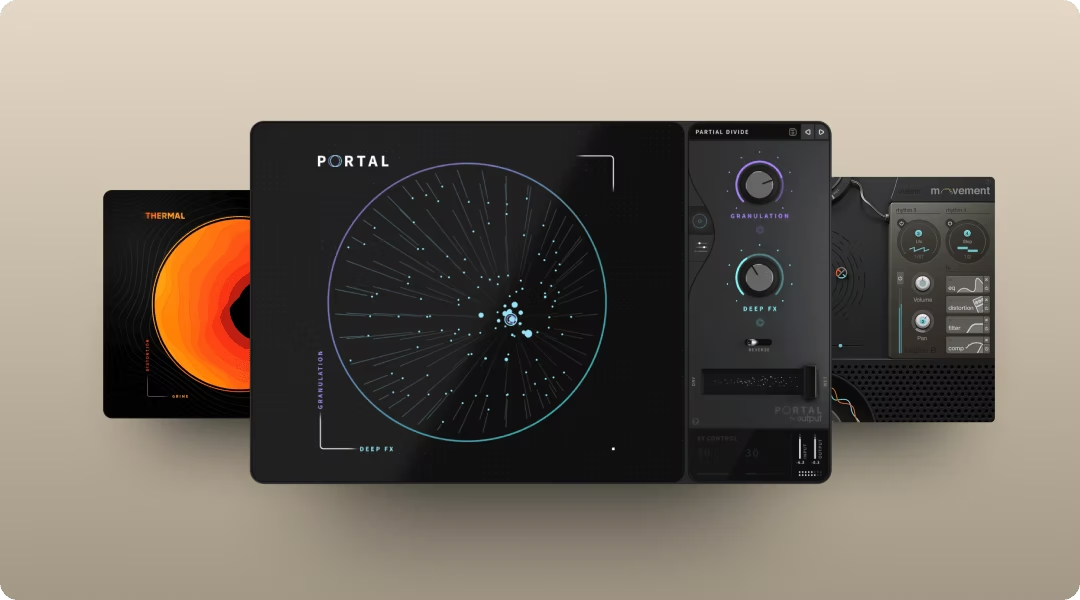
Portal is a granular FX plugin that transforms drum loops into something textural and unique. Scatter hits across the stereo field, stretch transients into ambient washes, or create rhythmic glitches that sync to your session tempo.
- Granular engine: Breaks audio into grains and re-synthesizes it in real time
- Scale-locked pitch: Quantize pitch shifts to a set scale, interval, or chord—only tones within your selected scale will play, keeping results musical even when you push parameters hard
- Tempo-synced delay: Creates rhythmic textures that lock to your session
Drop Portal on a drum bus, dial in a preset, and use the XY control to find the sweet spot between recognizable and transformed. Portal is available standalone or in Output One.
Use Thermal for weight and harmonics
Thermal is a multi-stage distortion plugin that adds body and aggression to thin loops. The multiband capability lets you target specific frequency ranges, so you can add saturation to the snare without muddying the kick.
- 15+ distortion types: Analog-inspired and digital flavors for different textures
- Multiband processing: Use Band Split to set crossover points with Low and High parameters, targeting specific frequency ranges per stage instead of distorting everything
- XY control: Find the right amount of heat without over-processing
Start with a subtle preset and increase drive until the loop has the weight you're looking for. Thermal is included in Output One.
Use Soundtoys Decapitator for analog saturation
Decapitator models five different analog saturation styles. It's useful when you want warmth without aggressive distortion.
- Five saturation models: Each based on different analog hardware
- Punish button: Adds extreme drive for more aggressive tones
- Low cut and tone controls: Shape the saturation character quickly
Use Movement for groove and motion
Movement is a rhythm FX plugin that animates static loops. Add pumping, filter sweeps, or stutters that sync to your session tempo. A basic two-bar loop becomes something that evolves over eight bars.
- Four rhythm engines: LFOs, step sequencers, sidechains, and Flux mode
- 152 modulatable parameters: Animate almost anything in the plugin
- XY performance pad: Morph between settings in real time
The step sequencer and LFO options let you imprint new rhythmic patterns onto existing material. Movement is available in Output One.
Use Arcade to chop and perform drum loops
Arcade is a playable sampler that turns loops into instruments. Drag in any loop, auto-chop it into slices, and assign them to keys. The Modifier and Macro controls let you manipulate playback in real time.
- Auto-chop: Slice any loop into playable pieces automatically
- Modifiers: Resequence, repeat, or reverse slices on the fly
- Macro controls: Shape tone and texture with four assignable knobs—each Macro controls multiple parameters at once, letting you drastically change the sound with a single slider movement
This is where loops stop being static files and start becoming instruments you play. Arcade is included in Output One.
Use XLN Audio XO for drum pattern inspiration
XO organizes your drum samples visually and suggests patterns based on what you select. It's useful when you want to build patterns from scratch but need a starting point.
- Visual sample browser: See your entire library organized by sonic similarity
- Pattern generator: Creates rhythmic ideas based on your sample selection
- Drag-and-drop export: Pull patterns directly into your DAW
Build your drum loop workflow with Output One
The tools mentioned throughout this article work together as a system. Co-Producer finds loops that fit your track. Arcade turns them into playable instruments. Portal, Thermal, and Movement process them into something personal.
Output One bundles all five plugins with unlimited access to a growing library of royalty-free content for one subscription.
- Find loops that fit: Co-Producer listens to your session and surfaces matching drums
- Play and chop: Arcade turns loops into playable instruments you perform
- Shape the sound: Portal, Thermal, and Movement process drums into something personal
- No credits, no limits: Unlimited access to premium, royalty-free content
FAQ
Are drum loops from Splice and Loopcloud royalty-free?
Loops from Splice, Loopcloud, and Output are royalty-free for commercial use. Always check the license terms for free loops from community sites like Looperman, where licensing varies by uploader.
Can I release music commercially using free drum loops?
Many free loops are cleared for commercial use, but licensing varies by platform. Read the terms before releasing. Output's loops via Co-Producer, Arcade, and Output One are royalty-free with no additional clearance needed.
How do I make a drum loop sound like my own?
Chop it into new patterns, layer with your own one-shots, and process with FX like saturation or granular effects. Treat the loop as raw material, not a finished element.
Output One bundles Co-Producer, Arcade, Portal, Thermal, and Movement—everything you used here for finding loops, shaping drums, and adding movement—plus all FX expansions. Get them all in one subscription and build full beats faster with a single workflow.
Try it free