15 Best VST Plugins for Techno
From kick design and drum machine emulations to granular FX and club-ready mixing, these are the 15 best plugins for techno, chosen for the way the genre actually gets made: loops, automation, and texture over everything.

Get Co-Producer and Arcade with unlimited access to premium, royalty-free samples and instruments. Plus, unlock Portal, Thermal, and Movement.
Try it free15 Best VST Plugins for Techno
Techno production rewards a specific set of tools: drum machines and samplers that nail the 909 sound, synths built for movement over melody, and FX that add tension through automation and texture. Here's how to choose plugins that support the genre's loop-first workflow, from kick design and rhythmic modulation to granular processing and club-ready mixing.
What Defines the Techno Sound?
Techno is a loop-first genre built for club systems. The best plugins for techno support a workflow where groove and texture matter more than melody or chord changes. Tracks typically land between 125–150 BPM, with most sitting around 130–140.
The genre runs on repetition. Variation comes from automation and subtraction, not new sections or harmonic shifts.
- Tempo: 125–150 BPM, most commonly 130–140
- Rhythm: Four-on-the-floor kick with syncopated hats, claps, and percussion
- Texture over melody: Timbre, space, and movement carry the track
- Repetition as structure: Automate and subtract rather than add new elements
- Club-first mixing: Sub translation and headroom matter more than loudness
Core Sound Elements in a Techno Track
Before choosing plugins, know what you're building. Every techno production needs a specific set of sounds working together.
The kick drum is your anchor. It needs a clean fundamental with controlled transient and sub weight. Hi-hats and cymbals provide rhythmic motion through open and closed patterns, rides, and crashes.
Claps and snares get layered or processed for width and snap. Percussion like shakers, congas, rimshots, and noise textures add groove complexity. Bass stays sub-focused or works as a rumble layer sidechained to the kick.
Synth stabs and pads appear sparingly, filtered and automated. Atmospheres and noise handle transitions through risers, sweeps, and ambient textures.
How to Build the Groove Engine
Techno lives in the drum programming. Most producers start with an 8- or 16-bar loop and sculpt from there using step sequencing, velocity variation, and micro-timing.
Kick Design and Sub Strategy
The kick defines your sub range. You want a clean fundamental with a short decay and enough transient click to cut through a club system.
Bass elements must fit around the kick, not compete with it. Keep the low end mono and phase-aligned whether you're synthesizing or using samples.
Hats, Percussion, and Micro-Timing
Groove comes from swing, shuffle, and velocity variation. Ghost notes and off-grid placement create the feel that separates a static loop from something that moves.
Techno often uses tighter quantization than hip-hop but still benefits from subtle humanization. Step sequencers with probability controls introduce variation without losing the hypnotic quality.
Plugins for Techno Drums and Percussion

Finding the right drum sounds fast keeps you in flow. Co-Producer listens to your session and surfaces drum hits, loops, and percussion that match your track's tempo and feel. Drag and drop directly into your DAW without leaving the session. It's available as part of Output One alongside Arcade, Portal, Thermal, and Movement.
- Output Co-Producer: Context-aware sample recommendations, unlimited access with no credits, Re-imagine feature uses ethically trained AI to generate infinite, one-of-a-kind variations from Output's royalty-free samples—every sound is unique to you and ready to drop into your DAW
D16 Drumazon and Nepheton deliver authentic TR-808 and TR-909 emulations. These are the drum machines that defined techno's sound.
- D16 Drumazon/Nepheton: Component-modeled circuits, individual outputs for each voice, built-in sequencer with swing control
XLN Audio XO offers intelligent sample browsing with a visual map that clusters similar sounds together.
- XLN Audio XO: AI-powered sample organization, built-in sequencer with pattern generation, drag-and-drop export to any DAW
Output Arcade lets you load techno-focused Kits, chop and manipulate loops, and build custom drum racks from your own samples. Also included in Output One.
- Output Arcade: Playable sampler with real-time manipulation, auto-chop with four slice algorithms for creating custom kits from any imported sample, macros and FX for fast sound shaping
Sound Design Techniques for Techno Synths
Techno tracks often use one or two synth voices with heavy modulation rather than stacking layers. The goal is movement within a limited palette.
Subtractive Synthesis for Bass and Leads
The classic approach runs oscillator into filter into amp envelope. Resonance and filter cutoff automation create the movement that keeps a simple part interesting.
Distortion adds harmonics and presence without adding new notes. This is where a single sawtooth wave becomes something with weight and character.
FM and Wavetable for Metallic Textures
FM synthesis creates the bell-like, metallic, and percussive tones common in techno. Wavetable synthesis offers evolving textures through morphing and modulation.
Both benefit from tempo-synced LFOs and envelope shaping. The key is movement over time, not static presets.
Plugins for Techno Synths and Bass

Xfer Serum is the workhorse for wavetable synthesis in electronic production. Its visual interface makes complex modulation approachable.
- Xfer Serum: Drag-and-drop modulation routing, built-in effects rack, massive preset ecosystem and wavetable import
u-he Diva delivers analog-modeled subtractive synthesis with authentic filter character. It's CPU-heavy but sounds like hardware.
- u-he Diva: Component-modeled filters from classic synths, oscillator drift for analog feel, multimode filter options
Output Arcade gives you access to synth-based Instruments and Lines with playable chromatic content. All content automatically transposes to your session key, so samples and instruments stay in tune with your track. Shape sounds with macros and FX, then drag MIDI or audio into your arrangement. It's part of Output One.
- Output Arcade: Layered chromatic instruments, built-in arpeggiator with 32-step sequencing across 6 lanes including volume, duration, chord probability, octave, panning, and probability per step, real-time FX and macro control
Arturia Pigments combines wavetable, virtual analog, granular, and sample engines in one hybrid synth.
- Arturia Pigments: Four sound engines in one plugin, extensive modulation with visual feedback, built-in sequencer and effects
How to Create Motion Without Adding New Parts
Techno's hypnotic quality comes from automation and modulation, not constant arrangement changes. Filter sweeps, delay throws, and reverb sends replace chord changes and new melodic ideas.
Automation Lanes for Filter, Reverb, and Delay
Filter cutoff sweeps during builds create tension. Reverb send increases during breakdowns open up space. Delay feedback throws mark transitions.
Draw these moves in your DAW's automation lanes or perform them in real time. Either way, they're doing the work that new parts would do in other genres.
LFO and Step Modulation for Evolving Textures
LFOs and step sequencers modulate parameters in real time. Rate, depth, and sync options let you dial in subtle movement or dramatic shifts.
Probability-based modulation introduces variation that keeps loops from feeling static. This is how a four-bar loop stays interesting for eight minutes.
Plugins for Modulation and Rhythmic FX
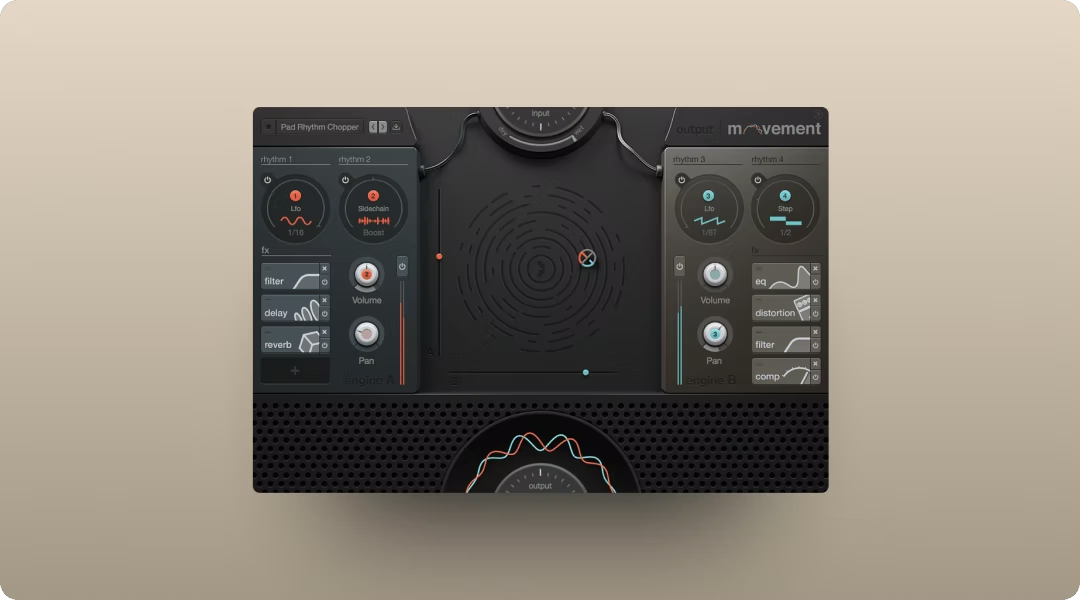
Output Movement is a rhythmic FX engine that modulates any parameter with sidechain, LFO, or step sequencer. The XY pad makes real-time performance intuitive. It's included in Output One.
- Output Movement: Four synchronized rhythm engines, modulates up to 152 parameters, built-in filters, EQ, delay, distortion, compression, and reverb
Cableguys ShaperBox offers modular shaping tools for volume, filter, time, and more with deep LFO editing.
- Cableguys ShaperBox: Modular rack with VolumeShaper, FilterShaper, TimeShaper, and more, custom LFO drawing, multiband processing
Xfer LFOTool delivers simple, effective sidechain and LFO-based modulation for pumping effects.
- Xfer LFOTool: Custom LFO curve drawing, MIDI trigger mode, multiple graphs for different parameters
Distortion, Saturation, and Controlled Aggression
Distortion and saturation add harmonic density and aggression. Industrial techno leans heavily on these tools, but even minimal tracks benefit from subtle saturation.
Where to Apply Distortion in the Signal Chain
Common routing includes distortion on the drums bus, synth bus, or as a parallel send. Parallel processing lets you blend clean and distorted signals for control.
Distorting the master bus requires caution and headroom management.
Multiband Processing to Protect the Low End
Multiband distortion lets you add grit to mids and highs while keeping the sub clean. This is essential for industrial techno where you want aggression without losing club translation.
Pre- and post-EQ strategies help you shape the harmonics exactly where you want them.
Plugins for Distortion and Saturation
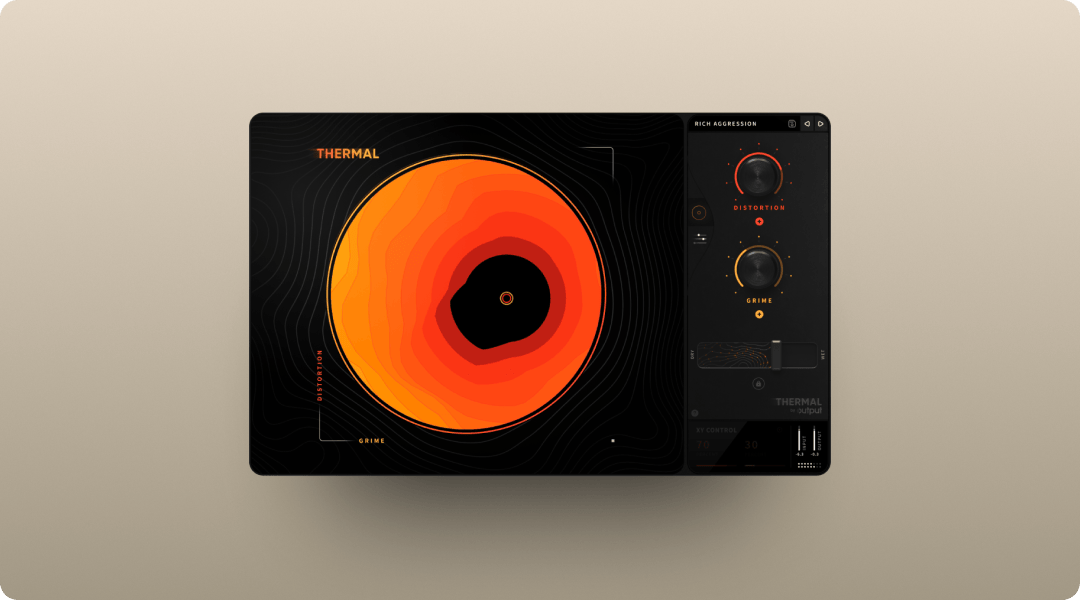
Output Thermal is a multi-stage distortion plugin with 15+ types, multiband control, and an XY pad for real-time shaping. Add aggression while keeping the low end intact. It's available standalone or in Output One.
- Output Thermal: Multi-stage distortion engine, Band Split mode lets you target specific frequency ranges per stage, with Refilter to clean up unwanted harmonics—essential for keeping low-end clean while adding grit to mids and highs, per-stage feedback with envelope follower for dynamic, input-responsive distortion textures, Mid-Side and stereo width tools, 9 built-in FX plus master compressor and filter
FabFilter Saturn 2 offers multiband saturation with deep modulation options for surgical control.
- FabFilter Saturn 2: Up to six bands with independent processing, extensive modulation system, linear-phase crossovers
Soundtoys Decapitator delivers analog-modeled saturation with character and punch.
- Soundtoys Decapitator: Five analog saturation models, Punish button for extreme drive, tone and mix controls for blending
Granular and Textural FX for Atmosphere
Granular processing creates the atmospheric, evolving textures that fill space in techno tracks. You can turn simple sounds into something otherworldly without adding new melodic content.
Risers, pads, and ambient washes all benefit from this approach. A single vocal sample or synth note becomes a shifting texture that carries tension across eight bars.
Plugins for Granular and Spatial Processing
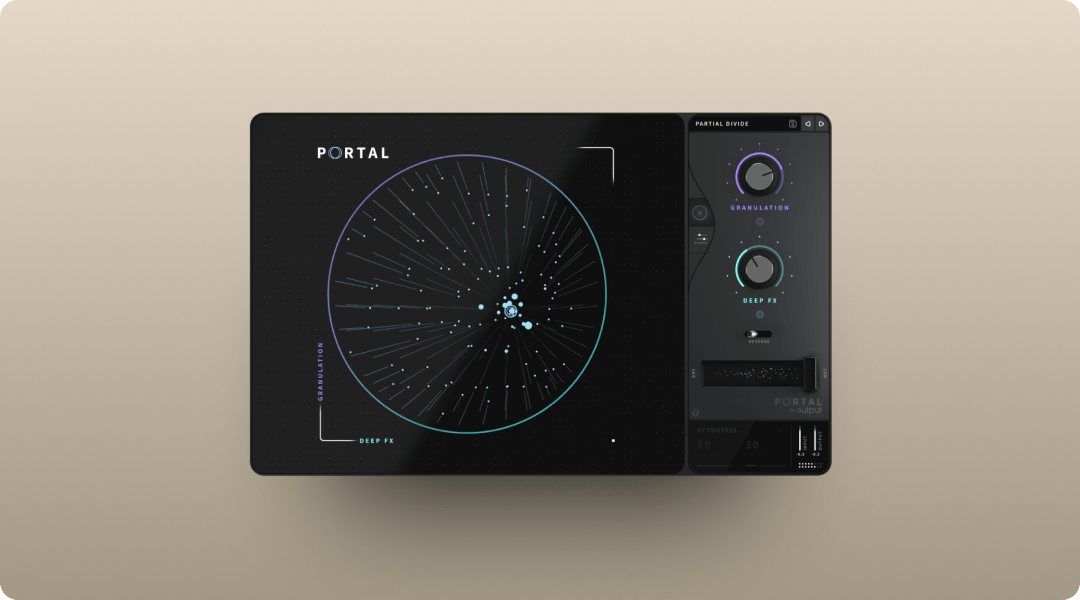
Output Portal is a granular FX plugin that turns any audio into evolving textures. The granulator engine slices audio into grains that can be stretched, overlapped, delayed, panned, and reversed—with controls for density, grain size, and feedback that create everything from subtle textures to complete sonic transformation. Scale-locked pitch modulation and tempo-synced grain delay keep results musical. It's part of Output One.
- Output Portal: Tempo-synced grain delay, scale-based pitch modulation, 7 built-in FX plus master compressor and filter
Arturia Efx FRAGMENTS offers a granular playground for glitch, texture, and ambience.
- Arturia Efx FRAGMENTS: Four grain streams with independent control, built-in effects and modulation, visual feedback for grain activity
Valhalla Delay provides versatile delay with diffusion and modulation for spatial depth.
- Valhalla Delay: Multiple delay modes including tape and pitch-shifting, diffusion for reverb-like textures, modulation for movement
Arrange for the Floor
Techno arrangements are built for DJ mixing. Long intros and outros, gradual transitions, and tension/release through subtraction and automation define the structure.
Intro, Groove, Build, Breakdown, Peak, Outro
Each section has a function. Intros establish tempo and key for DJs. Grooves carry the main idea. Builds add tension through automation and layering.
Breakdowns strip elements away. Peaks deliver maximum energy. Outros let DJs mix out cleanly.
Transitions with Risers, Sweeps, and Drum Fills
White noise risers, filter sweeps, snare rolls, and impact sounds mark transitions. Use them sparingly for maximum effect.
Too many transitions dilute their impact. Let the groove do the work and save the big moves for moments that matter.
Mix for Club Translation
Techno needs to sound powerful on a club system, not just headphones. Sub translation, mono compatibility, and headroom are priorities.
Low-End Translation and Mono Compatibility
Check sub translation on different systems. Mono summing for bass and kick prevents phase issues.
Keep everything below 100–150 Hz in mono for clean low-end reproduction on club systems.
Bussing, Sends, and Glue Compression
Use buses for drums, synths, and FX returns. Glue compression on the drums bus adds cohesion.
Parallel compression adds punch without squashing dynamics. This is how you get weight without losing transients.
DJ-Ready Exports and Live-Set Prep
Export and delivery considerations matter for techno. DJs need clean intros and outros with clear downbeats.
Beatgrid-Safe Structure and Consistent Tempo
Avoid tempo automation that confuses DJ software. Start with a clear downbeat so Rekordbox, Traktor, and Serato can set accurate beatgrids.
Alternate Bounces and Stem Exports
Common deliverables include full mix, instrumental, dub, and stems for remixers or live performance. Export at 24-bit WAV or AIFF with appropriate loudness targets.
Frequently Asked Questions
What plugins do professional techno producers actually use?
Professionals use a mix of classic drum machine emulations like D16 Drumazon, wavetable synths like Serum, and creative FX for texture and movement. Output tools like Portal, Thermal, and Movement handle granular processing, distortion, and rhythmic modulation across electronic genres.
Can I make techno without hardware synthesizers?
Software can fully replicate the techno workflow. Plugins deliver the same sonic results with more flexibility and total recall between sessions.
Which DAW works best for techno production?
Ableton Live is popular for its loop-based workflow, but Logic Pro, FL Studio, Bitwig, and Cubase all work well. Choose the DAW you know best and build your template around it.
Output One bundles Co-Producer, Arcade, Portal, Thermal, and Movement in one subscription—plus all FX expansions. Try them together to write, warp, and polish techno tracks faster with one cohesive toolkit.
Try it free