Amapiano Plugins That Speed Up Your Workflow
Build a complete Amapiano workflow—from sample discovery to granular texture and log drum saturation—using five plugins for Amapiano production that keep you in the groove instead of buried in browser tabs.

Get Co-Producer and Arcade with unlimited access to premium, royalty-free samples and instruments. Plus, unlock Portal, Thermal, and Movement.
Try it freeAmapiano Plugins That Speed Up Your Workflow
Amapiano production demands warm piano textures, punchy log drums, and percussion with natural swing, and the plugins you choose determine whether you nail that hypnotic groove or miss it entirely. Here's how to build an Amapiano workflow using Co-Producer for sample discovery, Arcade for playable sampling, and Portal, Thermal, and Movement for the texture and motion that define the genre.
Amapiano sound basics that plugins need to nail
Amapiano is a South African house genre that blends kwaito, deep house, and jazz influences, drawing from the same rhythmic DNA as Afrobeat, into something hypnotic and groove-driven. The plugins you choose need to deliver on every core element: warm piano textures, punchy log drum bass, and percussion that swings without losing its pocket.
Piano chords and melody
The piano sits at the heart of Amapiano. You're working with jazzy, soulful chord voicings built on sevenths and ninths, played as off-beat stabs or syncopated phrases.
The timbre leans toward Rhodes-like warmth, sometimes with slight detuning or chorus to add character. Plugins handling piano need velocity-sensitive response and expressive control. Static, lifeless presets won't cut it here.
- Chord voicings: Sevenths and ninths give Amapiano its jazzy, sophisticated feel
- Rhythmic placement: Off-beat stabs and syncopation create the genre's signature bounce
- Tonal character: Rhodes-like warmth with subtle movement keeps things organic
Log drum bass and sub
The log drum is Amapiano's signature low-end element. It's a tuned, woody, percussive bass that sits somewhere between a kick and a bassline.
This sound provides both rhythmic drive and harmonic foundation. You're not looking for a standard 808. The log drum has a rounder, more organic attack and a controlled decay that locks into the groove.
- Tuned punch: The log drum carries melodic movement in the sub frequencies
- Woody character: A rounder attack than 808s, with natural sustain
- Groove foundation: It drives the track rhythmically while supporting the harmony
Drums, percussion, and swing
Amapiano drums are sparse and intentional. Kicks are punchy but not dominant, snares or claps are crisp, and the real movement comes from shakers, congas, and percussion loops.
The swing is everything. That off-grid timing creates the hypnotic, head-nodding quality that defines the genre. Quantized, rigid drums will kill the vibe immediately.
The Output One Amapiano toolkit
Output One bundles the plugins you need for a complete Amapiano workflow into a single subscription. It includes Co-Producer for sample discovery, Arcade for playable sampling, plus Portal, Thermal, and Movement for creative FX processing.
If you're comparing this to free options like Amavibe, Output One offers a broader toolkit with deeper manipulation capabilities. Here's how each plugin fits into an Amapiano session.
Co-Producer for sample matching

Co-Producer listens to your session and recommends samples that fit your track's key and tempo. Insert it on your master track, hit play, and it analyzes what you're building.
The drag-and-drop workflow keeps you in your DAW. No browser tabs, no credit rationing, no digging through folders. When you need a shaker loop that locks to your groove, Co-Producer finds it fast.
- Session analysis: Listens to your track and surfaces samples that fit harmonically and rhythmically
- Drag-and-drop: Pull samples directly into your DAW without leaving your session
- Unlimited access: No credits or rationing, just continuous exploration
- Re-Imagine variations: Generate AI-powered variations of any sample for unique, one-of-a-kind sounds that are 100% royalty-free
Tip: When searching for Amapiano samples, try descriptive prompts like "soulful jazzy piano chords," "woody percussive bass," or "swinging shaker loops" to surface genre-appropriate results faster.
Arcade playable kits

Arcade turns samples into playable instruments. Once you've found material through Co-Producer, load it into Arcade to chop, flip, and perform it in real time.
The Sampler mode lets you trigger slices and manipulate loops. The Instrument mode gives you chromatic, layered sounds you can play melodically. You can also upload your own audio and auto-chop it into playable kits.
- Sampler mode: Trigger slices and manipulate loops with real-time control
- Instrument mode: Play chromatic, layered sounds melodically
- Session Key sync: Set your session key once and Arcade automatically transposes all samples to match, keeping jazzy Amapiano chord voicings in tune
- Custom kits: Upload your own audio and auto-chop it into playable instruments
Portal for granular texture
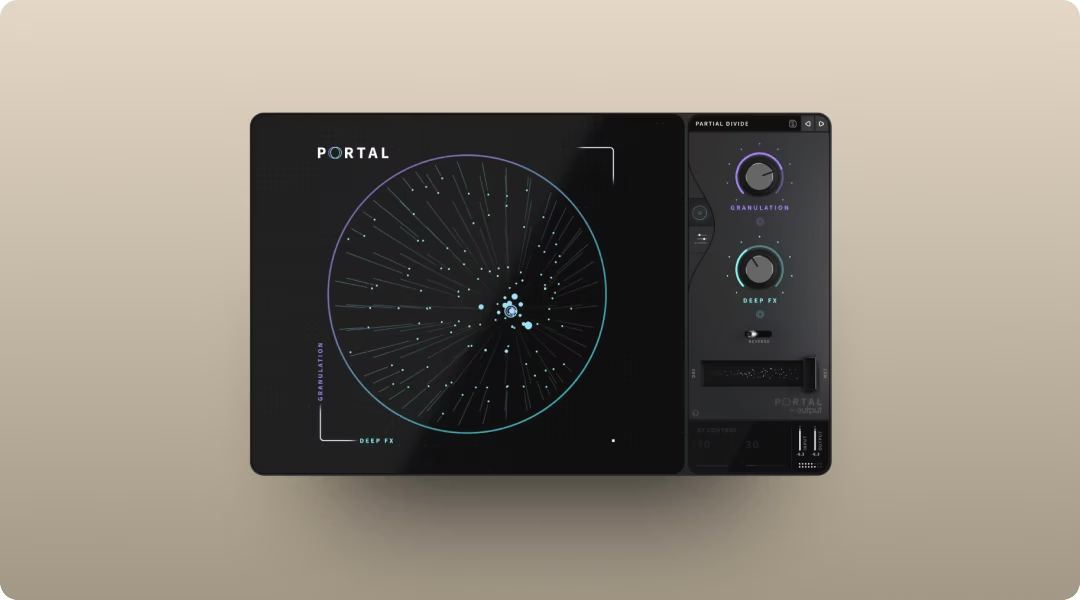
Portal transforms audio into evolving, atmospheric textures using granular processing. Run a piano stab through it and you get shimmering, spatial movement. Feed it a pad and it becomes something otherworldly.
The scale-locked pitch modulation keeps results musical. The tempo-synced grain delay ensures everything stays in time with your track.
- Granular processing: Breaks audio into grains and re-synthesizes it in real time
- Scale-locked pitch: Keeps pitch modulation musical and in key—set it to Minor or Major scales to ensure granular textures complement Amapiano's jazzy seventh and ninth chord voicings
- Tempo-synced delay: Grain effects stay locked to your session tempo, with adjustable feedback that feeds processed audio back into the granulator for evolving textures
Thermal for distortion and saturation
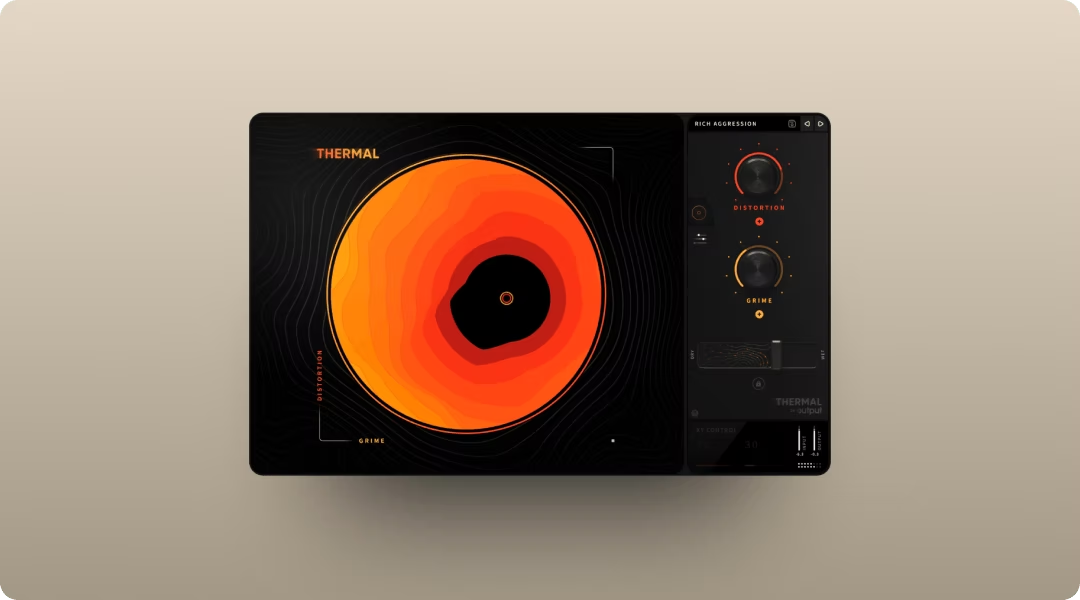
Thermal adds warmth, grit, and presence to log drums, bass, and percussion. The multi-stage distortion engine lets you stack different saturation types for precise harmonic control.
Subtle saturation on your log drum can make it punch through without clipping. The XY control makes it fast to find the right amount of heat.
- Multi-stage engine: Stack different distortion types for layered harmonic content
- XY control: Blend and manipulate parameters quickly with visual feedback
- Band-splitting: Target specific frequencies so you're not muddying the low end—use Refilter to remove unwanted harmonics created by the distortion, keeping your log drum punchy without harshness
Movement for rhythmic motion
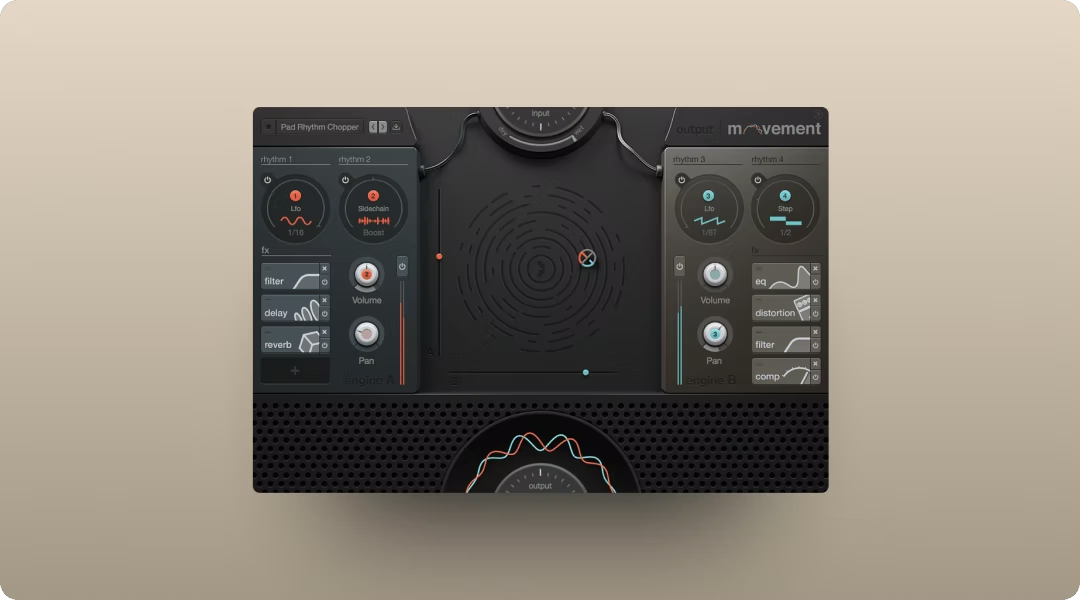
Movement adds pulse, sidechain-style pumping, and evolving motion to pads, synths, or full stems. The tempo-synced modulation creates that hypnotic, breathing quality that defines Amapiano grooves.
Instead of drawing automation curves by hand, you set up rhythmic patterns that modulate filters, volume, and effects in real time—perfect for creating the breathing, hypnotic quality that makes Amapiano grooves feel alive rather than mechanical.
- Tempo-synced modulation: Rhythmic effects stay locked to your session
- XY performance pad: Control multiple parameters live during playback
- Built-in FX: Filters, delay, compression, and reverb all in one plugin
Sample and instrument choices for Amapiano parts
Choosing the right sounds is half the battle. Here's what to look for when sourcing material for each element of your track.
- Piano sounds: Rhodes, Wurlitzer, or jazzy electric piano timbres with velocity sensitivity
- Log drum and bass: Tuned, woody sub-bass hits with punch and sustain, not standard 808s
- Drums: Sparse, punchy kicks and crisp claps that leave room for percussion
- Percussion: Shakers, congas, and live-feel loops with natural swing baked in
- Atmospherics: Pads, vocal chops, or textural layers that add depth without clutter
Co-Producer and Arcade handle most of these needs within the Output ecosystem. For keyboard sounds specifically, Arturia Analog Lab offers deep electric piano libraries with extensive tonal options.
- Arturia Analog Lab key features:
- Massive preset library: Thousands of keyboard sounds from classic synths and electric pianos
- Easy browsing: Filter by instrument type, style, or character
- DAW integration: Works as a plugin in any major DAW
Native Instruments KOMPLETE also provides excellent Rhodes and Wurlitzer emulations if you want more tonal variety.
- Native Instruments KOMPLETE key features:
- Scarbee Mark I: Detailed Rhodes emulation with velocity layers and round-robin sampling
- Kontakt integration: Deep editing capabilities for advanced sound shaping
- Multiple mic positions: Control the character and room sound of each instrument
Amapiano workflow templates that work in any DAW
Amapiano production typically follows a loop-first approach. You build an 8-bar foundation, layer elements until the groove feels right, then expand into a full arrangement.
- Set your tempo between 110-115 BPM and lock your session key
- Load Co-Producer on the master track to analyze your session and surface fitting samples
- Start with a core loop: piano chords, log drum, and basic drums
- Add Arcade on a Software Instrument track for playable percussion or melodic layers
- Insert Portal, Thermal, or Movement on individual tracks or aux sends for texture
- Expand the loop into sections using automation to introduce and remove elements
This workflow keeps you moving. You're not hunting for sounds in external browsers or building complex routing before you've started writing.
Amapiano arrangement moves that make plugins feel musical
Amapiano arrangements are about subtraction and addition, not dramatic structural changes. Long intros, gradual builds, and breakdowns that strip back to percussion create energy shifts without jarring transitions.
- Intros: Start sparse with just percussion and atmosphere, letting elements enter gradually over 16 or 32 bars
- Builds: Use filter automation or Movement's rhythmic intensity to increase tension
- Breakdowns: Strip back to log drum and percussion, creating space and anticipation
- Drops: Reintroduce piano and full drums, often with a subtle FX tail from Portal
Plugin automation is where arrangement becomes performance. Automate Portal's wet/dry mix to bring in granular shimmer during transitions. Use Movement's XY pad to increase rhythmic intensity heading into a drop.
Arcade Modifiers: Trigger Arcade's Resequence, Playhead, or Repeater modifiers via MIDI to slice and rearrange loops in real time during transitions—no automation drawing required.
Mix moves for Amapiano texture, heat, and motion
Mixing Amapiano means balancing warmth, punch, and space. The genre rewards subtle processing that enhances groove without flattening dynamics.
- Log drum punch: Insert Thermal for subtle saturation, adding harmonic presence without clipping
- Piano warmth: Use light saturation or tape emulation to soften digital harshness
- Pad depth: Run pads through Portal for granular shimmer on an aux send
- Groove animation: Apply Movement to synths or vocal chops for tempo-synced pumping
- Sub translation: Keep log drum mono below 100Hz and check low end on multiple systems
FabFilter Pro-Q works well for surgical frequency adjustments alongside Output's creative FX.
- FabFilter Pro-Q key features:
- Dynamic EQ bands: Frequency-specific compression without a separate plugin
- Spectrum analyzer: Visual feedback for identifying problem frequencies
- Linear phase mode: Transparent processing for mastering applications
Soundtoys Decapitator offers another approach to saturation if you want analog-modeled harmonic content.
- Soundtoys Decapitator key features:
- Five saturation styles: Different analog circuit emulations for varied character
- Punish button: Extreme saturation for aggressive sound design
- Tone and mix controls: Shape the color and blend of the processed signal
The fastest Amapiano plugin stack to start with
If you want to start making Amapiano today, here's the stack that covers sample discovery, playable sampling, and creative FX in one subscription.
- Co-Producer: Find samples that fit your track's key and tempo instantly
- Arcade: Turn samples into playable kits and instruments you can perform
- Portal: Add granular texture and atmosphere to pads and piano
- Thermal: Shape low-end and add warmth with multi-stage saturation
- Movement: Inject rhythmic motion without drawing automation curves
All five plugins are included in Output One, which works in every major DAW on Mac and PC.
FAQ
Can you make Amapiano with stock DAW plugins?
Yes, but you'll spend more time searching for sounds and building workarounds. Stock plugins handle basic processing, but dedicated tools like Co-Producer and Arcade speed up the sample discovery and manipulation that Amapiano production demands.
What tempo range works best for Amapiano tracks?
Most Amapiano tracks sit between 110-115 BPM. This tempo range gives the genre its relaxed, hypnotic feel while leaving room for the swing and groove that define the style.
How do you get the log drum sound without dedicated Amapiano sample packs?
Layer a tuned sub-bass with a woody percussion hit, then shape the attack and decay until you get that punchy, melodic low-end. Thermal can add harmonic content to help it cut through the mix.
You’ve seen how Output Thermal, Output Arcade, Output Portal, Output Movement, and Output Co-Producer can speed up your Amapiano workflow—Output One includes all of them, plus every FX expansion. Get the whole toolkit in one subscription and move from chord stabs to polished drops without breaking your flow.
Try it free