G Herbo Type Beat Tutorial: Drums, Samples, and Mix Tips
Break down the drum programming, 808 selection, sample workflow, and mix techniques behind a G Herbo type beat—from halftime groove at 140-150 BPM to keeping your low end hard without turning to mud.

Get Co-Producer and Arcade with unlimited access to premium, royalty-free samples and instruments. Plus, unlock Portal, Thermal, and Movement.
Try it freeG Herbo Type Beat Tutorial: Drums, Samples, and Mix Tips
G Herbo type beats demand sparse arrangements, aggressive drums, and dark melodies that leave room for fast vocal delivery. We're breaking down the drum programming, 808 selection, sample workflow, and mix techniques that make Chicago drill instrumentals hit the way they should.
What makes a G Herbo type beat feel right
A G Herbo type beat is a Chicago drill instrumental built around sparse arrangements, aggressive drums, and dark melodies. This means you're creating space for fast vocal delivery while keeping the energy raw and unrelenting.
The sound lives in tension. Hard-hitting drums punch through minimal melodic content. Minor keys set a cold, urgent mood. Every element hits with intention because there's nowhere for weak sounds to hide.
- Negative space: Leave room for vocals instead of filling every bar
- Raw texture: Prioritize grit over polish in your sound selection
- Controlled aggression: The beat should feel dangerous but focused
Sound selection matters more than complexity here. A thin 808 or weak snare will kill the vibe faster than a wrong note.
Tempo and groove targets for Chicago drill energy
Chicago drill type beats typically land between 140 and 150 BPM. The halftime feel makes them groove closer to 70-75 BPM in practice, with the snare hitting on beat three instead of two and four.
- BPM range: 140-150 BPM with halftime feel
- Snare placement: Beat three creates the signature slow-motion aggression
- Hi-hat swing: Push hats slightly off-grid for human feel
- Triplet subdivisions: Common on hats, less common on kicks
Some producers keep kicks and snares locked to the grid while pushing hats ahead or behind. Others add subtle swing across everything. Stay consistent with whatever approach you choose.
Drill drum patterns that fit a G Herbo type beat
Drum programming separates generic beats from ones that actually feel right. Starting with quality drill drum loops gives you a foundation—the conventions are specific, but the details make the difference.
Build the kick and snare pocket
Kick placement in drill tends toward sparse and syncopated. You're not filling every downbeat. Kicks land on unexpected subdivisions, often anticipating or delaying the obvious placement.
Layer your snare with a rimshot or clap for texture. The snare should crack through the mix, not thud. Keep the tail short so it doesn't compete with the 808.
Write hi-hat moves that sound aggressive
Hi-hats carry most of the rhythmic energy. Whether you're programming from scratch or manipulating hip hop drum loops, triplet rolls, velocity curves, and strategic open hats create the characteristic sliding feel.
- Velocity variation: Accent downbeats and let rolls decay naturally
- Open hats: Use sparingly, usually before snare hits
- Triplet patterns: Create forward momentum without sounding mechanical
Hats that hit at the same velocity sound robotic. Studying trap drum loops shows how velocity variation makes the pattern feel like it's constantly pushing forward.
Add percussion fills without losing the rap space
Restraint matters with percussion. Snare rolls and rim fills work best at section transitions, not throughout the verse.
Think of percussion as punctuation. The beat should feel complete without fills. A well-placed fill at bar eight or sixteen signals a change without cluttering the vocal pocket.
808 choices for weight, slide, and control
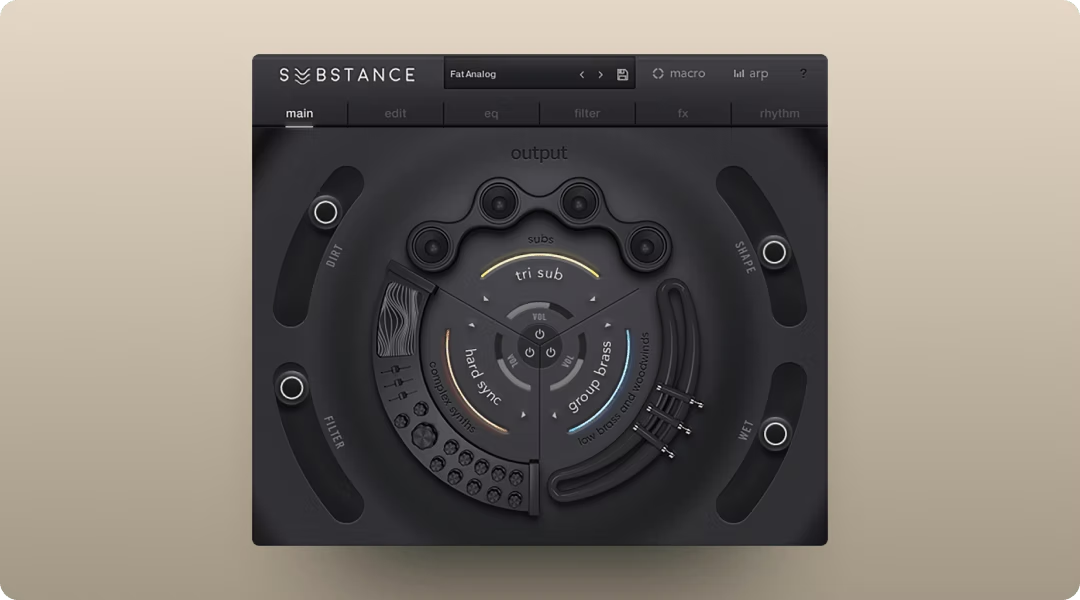
The 808 defines the low end in drill. Tools like Substance give you control over the weight, sustain, and harmonic content that help your bass translate across playback systems.
Pick an 808 that stays audible on small speakers
Phone speakers and earbuds can't reproduce deep sub frequencies. Your 808 needs harmonic content in the upper bass and low midrange to cut through on smaller systems.
Saturation helps here. It adds harmonics that make the 808 audible without losing the fundamental weight. Test your choices on multiple playback systems before committing.
Write slides that sound intentional
808 slides are a drill signature, but they need purpose. Set your glide time so slides feel musical rather than gimmicky.
- Too fast: Sounds like a mistake
- Too slow: Loses impact
- Strategic placement: Use slides to connect phrases or emphasize moments
Not every note needs a slide. The contrast between staccato hits and sliding notes creates interest.
Lock the 808 rhythm to the kick pattern
Decide early whether your kick and 808 will hit together, offset slightly, or operate independently. Mixing approaches randomly creates mud.
When layering kick and 808 on the same hits, watch for phase issues. A slight timing offset or high-pass on the kick helps both elements punch without canceling each other out.
Melodies and samples for dark, focused momentum
Melodic content in G Herbo type beats stays minimal and moody. You're setting atmosphere, not showcasing harmonic complexity.
Start with minor key motifs and sparse harmony
Natural minor and harmonic minor scales dominate. Phrygian inflections add extra darkness when needed. Keep chord voicings sparse, often just two or three notes.
Counter-melodies should complement, not compete. A simple arpeggio or single-note line often works better than a second full melodic part.
Flip a sample without sounding like a loop
Sample-based production requires transformation. Starting with drill loops, then chopping, pitch-shifting, and time-stretching turns recognizable sources into original compositions.
- Formant manipulation: Helps pitched samples sound natural at different keys
- Resampling through effects: Adds character that distinguishes your flip
- Strategic chopping: Makes the sample serve your beat, not the other way around
The goal is making source material feel like an original composition.
Use sound selection to leave room for fast vocals
Choose melodic sounds that sit outside the vocal midrange. Auditioning rap vocals against your beat helps identify frequency conflicts—bright bells and dark pads work better than sounds occupying the same frequencies as the human voice.
Think about frequency real estate during sound selection, not just during mixing. The right sounds require less corrective EQ later.
Beat arrangement for verses, hooks, and switches
Type beats need structure that artists can actually use. Generic eight-bar loops don't sell. Thoughtful arrangement does.
Build an intro that establishes the mood fast
You have seconds to hook a listener or an artist browsing beats. The intro should communicate the vibe immediately.
Four to eight bars is usually enough. Start with your strongest melodic element or a stripped version that builds anticipation.
Create a hook lift with texture not volume
Differentiate hooks from verses through addition, not just level changes. A counter-melody, extra percussion layer, or subtle FX can lift a section without making it louder.
Mute automation creates contrast by removing elements, then bringing them back. The hook should feel like an arrival, not just a volume spike.
Add a switch that keeps the same identity
Beat switches add variety but shouldn't feel like a different song. Change the drum pattern, swap the melodic element, or shift the energy while maintaining the core vibe.
Transitions matter. A riser, drum fill, or momentary silence can signal the change and make it feel intentional.
Mix tips that keep the beat hard without turning to mud
Drill beats need to hit hard at loud playback levels. Sloppy mixing turns aggression into mush.
Make the snare feel forward without harshness
Snare presence comes from the 2-5kHz range, but too much creates harshness. Use a bell curve boost around 3kHz for crack, then check for painful frequencies above 5kHz.
FabFilter Pro-Q 3 handles surgical EQ moves well for this kind of work.
- Dynamic EQ bands: Tame harsh frequencies only when they spike
- Spectrum analyzer: Visual feedback for precise cuts
- Linear phase mode: Preserves transients on drum processing
Compression should control dynamics without killing the snap. Proper gain staging and slower attack times let the initial hit through.
Carve space between the 808 and the melody
Low-end clarity requires frequency separation. High-pass your melodic elements to keep them out of the 808's territory.
Sidechain compression or volume ducking creates momentary space when the 808 hits. The 808 should feel like the foundation, not a competitor.
Use ambience that adds size without washing out the drill feel
Drill beats stay relatively dry. Short, dark reverbs add dimension without softening the aggression.
Valhalla Room works well for adding controlled space to drill production.
- Short decay times: Keep the tail tight and focused
- Dark character: Roll off high frequencies in the reverb
- Pre-delay options: Preserve initial transients while adding depth
Delay often works better than reverb for creating width on melodic elements. A short stereo delay adds presence without the wash.
A sample workflow that stays inside your session with Output
Finding and shaping samples doesn't have to mean leaving your DAW. A connected workflow keeps you in creative flow.
Find samples that fit with Co-Producer

Co-Producer listens to your session and surfaces samples that match your track's tempo and harmonic content. Instead of keyword searching, you're auditioning sounds that already fit what you're building. Co-Producer offers three search modes: audio-only (capture your session and find complementary sounds), text-only (describe what you're looking for), or combined audio and text search for the most targeted results.
- Session analysis: Recommends samples based on what you're making
- Drag and drop: Pull samples directly into your DAW
- Re-imagine: Generate unique variations of any sample
Every variation is royalty-free and ready to release. No credits, no rationing ideas.
Turn samples into playable parts with Arcade

Once you've found source material, Arcade's auto-chop functionality turns loops into playable kits. You're not just dropping in loops. You're performing and recording parts.
- Kit Generator: Build custom instruments from any sample
- Modifiers:Resequence and Repeater transform static samples
- Key and tempo lock: Arcade's Session Key feature automatically shifts all samples to match your song's key. Set it once, and every sample you trigger plays in tune with your track—essential for keeping dark minor-key drill melodies cohesive.
The manipulation happens inside the plugin, keeping your arrangement flexible.
Push texture and motion with Portal, Thermal, and Movement
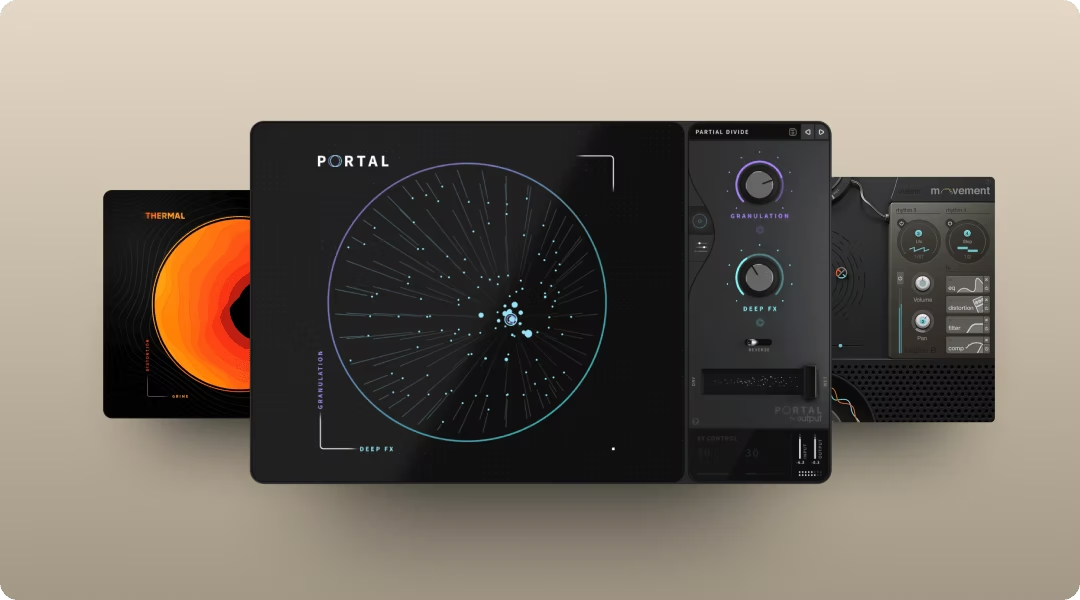
Portal's granular processing turns simple melodic elements into evolving textures. Insert it on any audio or instrument track to slice your source into tiny grains that can be stretched, pitched, and scattered across the stereo field—useful for transforming a basic pad or bell into an atmospheric backdrop that doesn't compete with the vocal pocket.
Thermal adds saturation and harmonic content to 808s and drums, helping them translate on smaller speakers. The multi-stage distortion engine gives you control over exactly where harmonics land. Thermal's multi-stage distortion lets you dial in exactly where harmonics land. Use the Drive control with Auto gain compensation to push the 808 harder without clipping, then adjust the Shape parameter to add upper harmonics that cut through on phone speakers and earbuds.
Movement imprints rhythmic modulation onto static sounds, creating animation without manual automation. The sidechain and LFO options work well for adding pulse to pads and melodic elements—set an LFO to pump in time with your halftime snare hits, and static pads suddenly breathe with the beat.
All three FX plugins are available together with Co-Producer and Arcade through Output One.
YouTube title and tag patterns producers actually search
The SERP for G Herbo type beats is dominated by YouTube. Metadata optimization matters if you're uploading beats.
Use artist plus subgenre modifiers without keyword stuffing
Effective titles combine the primary artist name with subgenre descriptors and optional technical details.
- Primary artist: G Herbo
- Related artists: Chief Keef, Lil Bibby, King Von
- Subgenre modifiers: Chicago drill, drill, type beat
A title like "G Herbo Type Beat 2026 - Chicago Drill Instrumental" covers multiple search patterns without feeling spammy.
Match the beat name and mood to the thumbnail
Visual consistency builds channel recognition. Your thumbnail should communicate the same energy as the beat. Dark color palettes and minimal text work for drill content.
Write descriptions that help artists find the right beat fast
Include BPM, key, licensing information, and contact details in every description. Artists searching for beats want this information immediately.
Royalty-free samples and clearance reality checks
Sample clearance matters when you're selling beats or releasing music commercially. Uncleared samples create legal and platform risks.
- Cleared samples: Essential for beat sales and artist releases
- Content ID risks: Uncleared samples can trigger takedowns or revenue claims
- Royalty-free workflow: Tools like Co-Producer and Arcade eliminate clearance concerns—every sample and Re-imagine variation is royalty-free and ready to release without credits or negotiations. This matters when you're selling beats or placing tracks with artists who need clean chains of title.
Building beats from royalty-free sources means you own what you create. No clearance negotiations, no surprise claims after release.
Get the full Output toolkit with Output One
Output One bundles Co-Producer, Arcade, Portal, Thermal, and Movement into a single subscription. You get sample discovery, playable instruments, and creative FX in one ecosystem.
The workflow connects naturally: find samples with Co-Producer, manipulate them in Arcade, then shape the results with Portal, Thermal, and Movement. Everything stays inside your DAW, and everything you create is yours to release.
Output One bundles Co-Producer, Arcade, Portal, Thermal, and Movement—everything you used in this G Herbo type beat tutorial—plus all FX expansions. Get the full sound-shaping stack in one subscription and move from idea to finished beat faster.
Try it free