7 Best Electronic Drum Plugins for Modern Producers
From sample-based kits you can destroy with saturation to drum synths that generate sounds no library has, here are 7 plugins for electronic drums that actually serve your workflow—plus the FX chains and sequencing techniques to make them hit.

Get Co-Producer and Arcade with unlimited access to premium, royalty-free samples and instruments. Plus, unlock Portal, Thermal, and Movement.
Try it free7 Best Electronic Drum Plugins for Modern Producers
Electronic drums live at the intersection of sample libraries, synthesis, and sequencing, and the right plugin setup depends on whether you're chasing organic dynamics, machine-generated patterns, or sounds that don't exist anywhere else. From kit plugins you can destroy with saturation to drum synths that let you shape every oscillator cycle, here's how to build a toolkit that actually serves your workflow.
Which type of drum plugin do you need?
Electronic drum production splits into three lanes. Most producers work across all of them in a single session. Understanding which type you need helps you build a toolkit that actually serves your workflow.
- Sample-based kit plugins: These play back recorded drum sounds with velocity layers and room mics. You start with realistic source material, then process it into electronic territory through saturation, distortion, or granular FX.
- Sequencer and groove tools: These handle pattern generation, probability, and variation. They solve the problem of static loops by creating drums that evolve rather than repeat identically.
- Drum synth plugins: These generate sounds from oscillators and noise instead of playing recordings. You get tones that don't exist in any sample library because you're shaping them from scratch.
The right choice depends on where you're starting. If you want organic dynamics as a foundation, start with kit plugins. If you need patterns that never repeat, grab a sequencer. If you're chasing a signature sound nobody else has, synthesis is the answer.
Many producers combine all three. You might layer a synthesized kick under a sampled room sound, run both through distortion, then use a sequencer to generate variations across an eight-bar phrase.
Sample-based drum kit plugins for electronic production
Kit plugins designed for acoustic realism become electronic tools when you process them aggressively. The advantage is starting with high-quality source material that has natural dynamics and tonal complexity.
Output Arcade

Arcade is a playable sampler and instrument plugin that treats drums as performance tools rather than static files. You load a Kit, play patterns in real time, and reshape sounds using Macros, Modifiers, and built-in FX.
The plugin includes electronic drum kits, breaks, and one-shots that lock to your session's tempo automatically. Modifierslike Playhead, Repeater, and Resequence let you slice, stutter, and reorder patterns on the fly. New content drops regularly—Arcade adds new Kits and Samples daily, with new Lines released periodically. Electronic-focused Lines cover everything from minimal techno to hyperpop percussion, each containing curated Kits designed around a specific musical theme.
- Key/tempo lock: Every sound syncs to your session automatically. Use the Session Key selector to shift all samples to match your track's key, and lock it to maintain consistency when switching between Kits.
- Modifiers: Playhead, Repeater, and Resequence transform static loops into evolving patterns without manual programming. Each Modifier includes Release Modes (Timeline Follow, Note On, Note Off) that determine where playback resumes after releasing the key—essential for maintaining musical timing during live performance.
- FX Macros: Four assignable macros per Kit let you shape tone, texture, and movement in real time.
Arcade is available standalone or through Output One, which bundles it with Co-Producer and Output's FX plugins.
Toontrack Superior Drummer 3
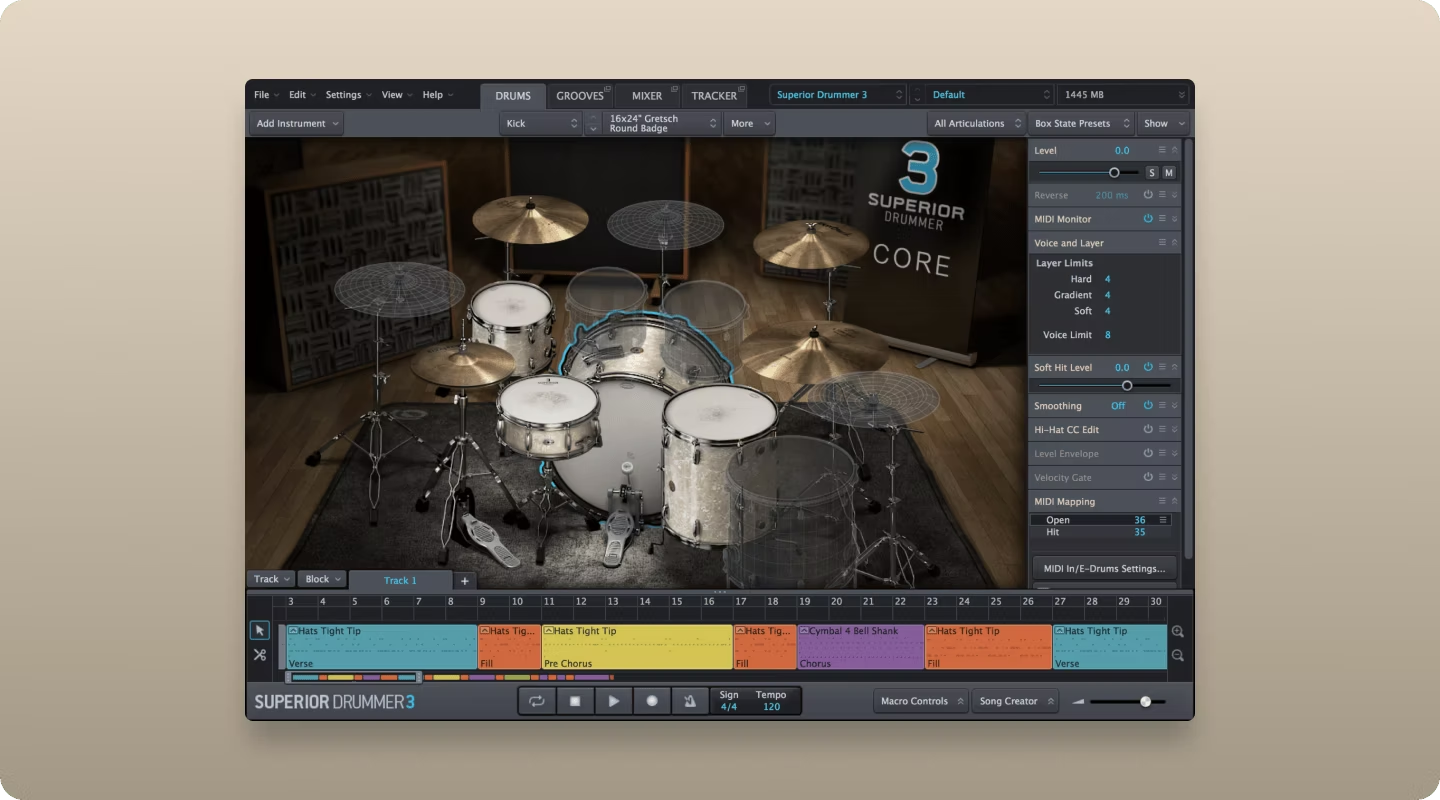
Toontrack Superior Drummer 3 offers deep multi-sampled kits with extensive mic positions and room options. The routing flexibility through multi-out configurations makes it ideal for producers who want to process each drum element separately.
You can send the kick to one channel with heavy saturation while keeping the overheads clean on another. The built-in mixer works well for acoustic production, but most electronic producers bypass it in favor of external processing. The real value is the source material: detailed velocity layers, multiple articulations, and room sounds that give you something substantial to destroy.
- Multi-out routing: Send each drum to its own channel for independent processing through your FX chain.
- Mic positions: Multiple mic options per drum let you blend close, room, and overhead sounds before processing.
- Velocity layers: Deep sampling captures the full dynamic range, giving you realistic source material to transform.
XLN Audio Addictive Drums 2
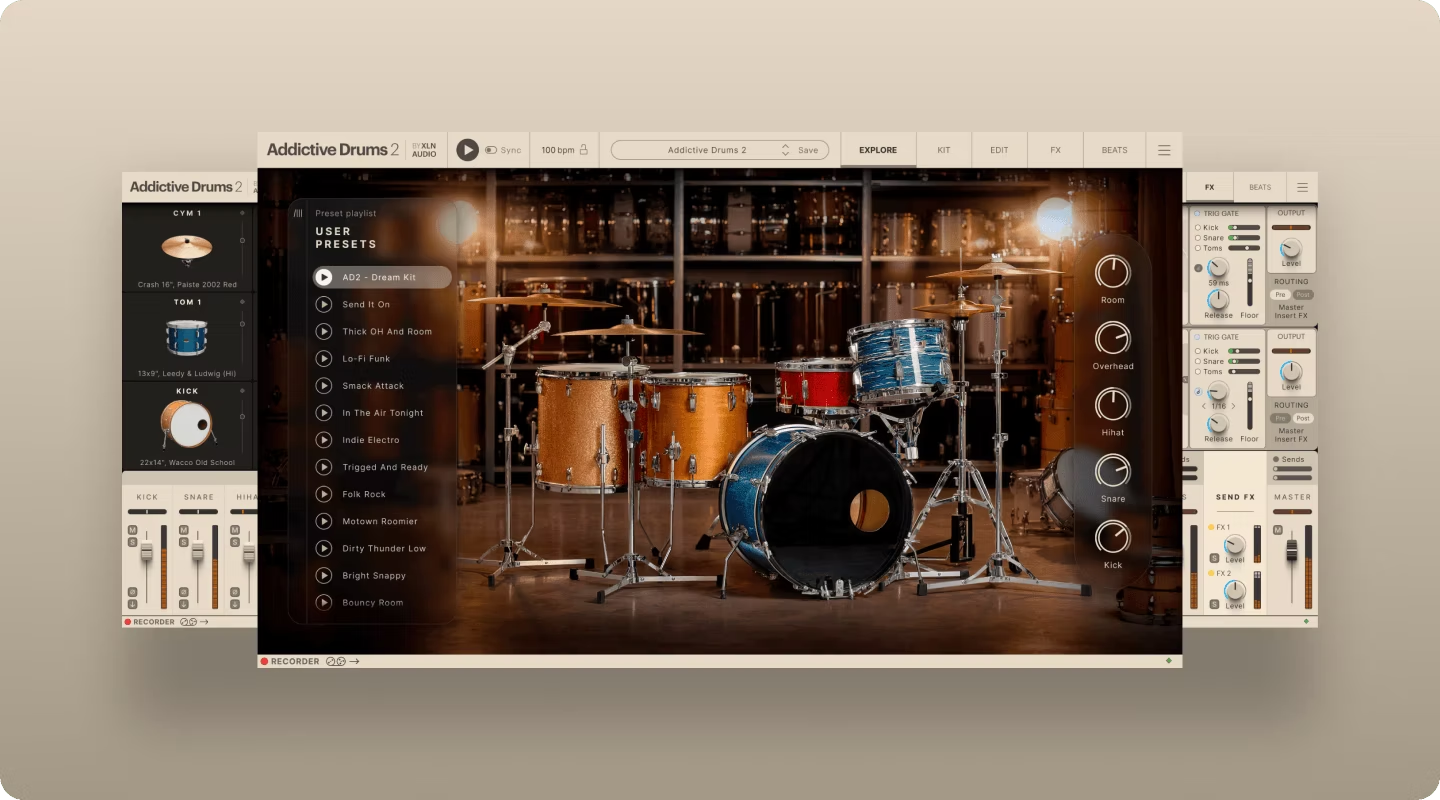
XLN Audio Addictive Drums 2 runs lighter on CPU than Superior Drummer while maintaining a streamlined interface. The built-in kit pieces and ADpaks cover various genres, and the transient shaper in the mixer lets you shape sounds quickly before they hit your FX chain.
This plugin works well when you want quick results without deep routing complexity. Load a kit, adjust the built-in processing to taste, then bounce to audio and process further.
- Low CPU usage: Runs efficiently in complex sessions where you're already pushing your system.
- Built-in transient shaper: Shape attack and sustain directly in the plugin before external processing.
- ADpak expansion: Genre-specific kits expand your options without switching plugins.
Steven Slate Drums 5.5
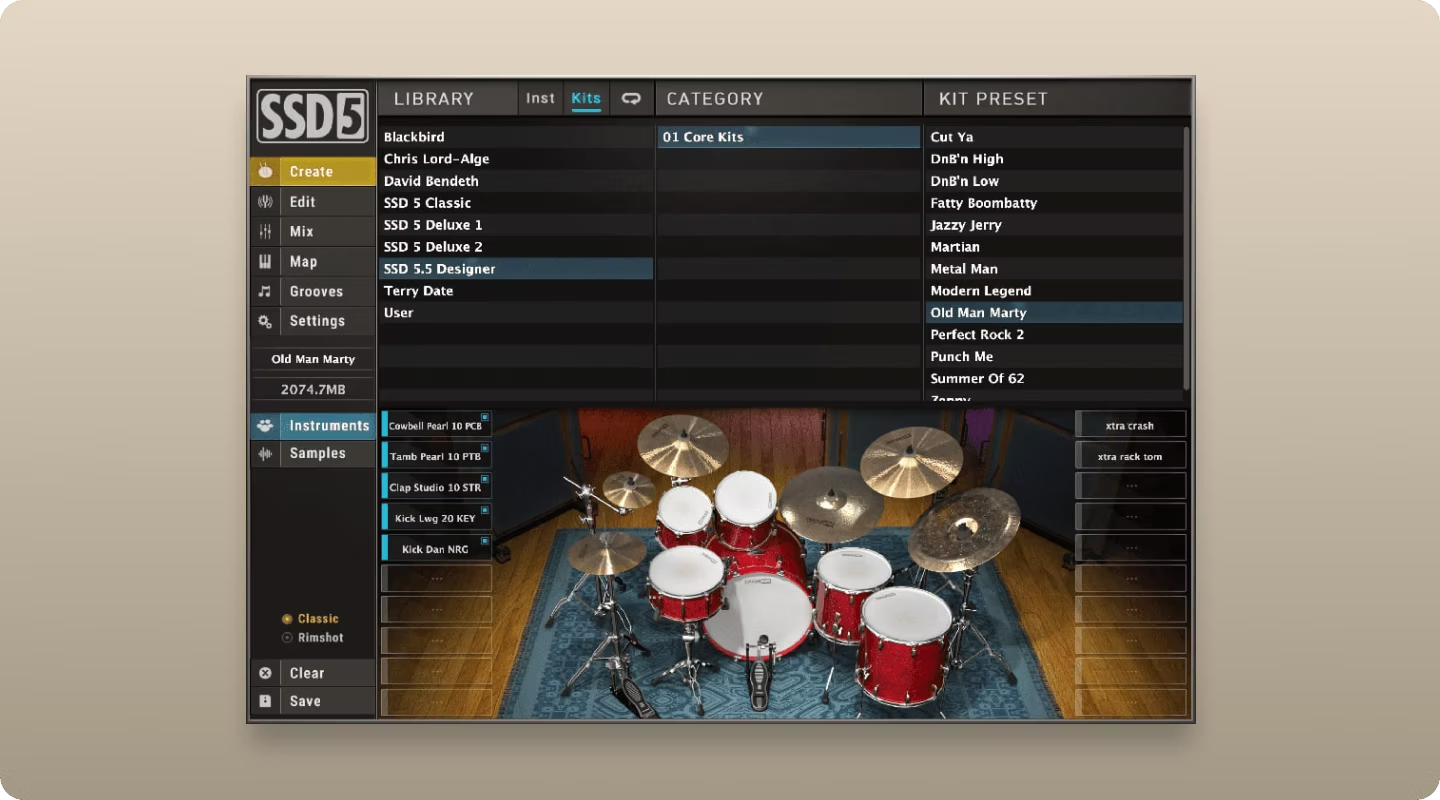
Steven Slate Drums delivers punchy, mix-ready sounds that sit well in dense arrangements. The built-in processing is more aggressive than other kit plugins, which shortcuts the path to electronic tones.
Kicks hit hard out of the box, and snares cut through without extensive EQ work. For electronic producers, this means less processing to reach impact. The sounds are already compressed and shaped, so you're adding character rather than building from scratch.
- Mix-ready sounds: Pre-processed drums that cut through dense arrangements immediately.
- Aggressive built-in processing: Less work required to reach punchy, electronic-ready tones.
- Preset variety: Multiple kit configurations let you find the right starting point fast.
Sequencer and groove-generation plugins
Static loops kill electronic tracks. Sequencer plugins solve this by generating variation automatically through probability, swing, and pattern mutation.
How pattern variation works in electronic drum plugins
Understanding these core concepts helps you get more from any sequencer:
- Probability: Set a percentage chance for each hit. A hi-hat at 70% probability drops out randomly, creating organic variation without manual programming.
- Swing: Offset certain beats from the grid to add groove. The difference between MPC swing and TR-808 swing is immediately audible.
- Fills: Automatic transitional patterns that trigger at phrase boundaries. These break up repetition and signal arrangement changes.
- Pattern length: Using odd lengths like 7 or 13 steps against a 4/4 structure creates polyrhythmic variation that keeps listeners engaged.
Native Instruments Battery 4
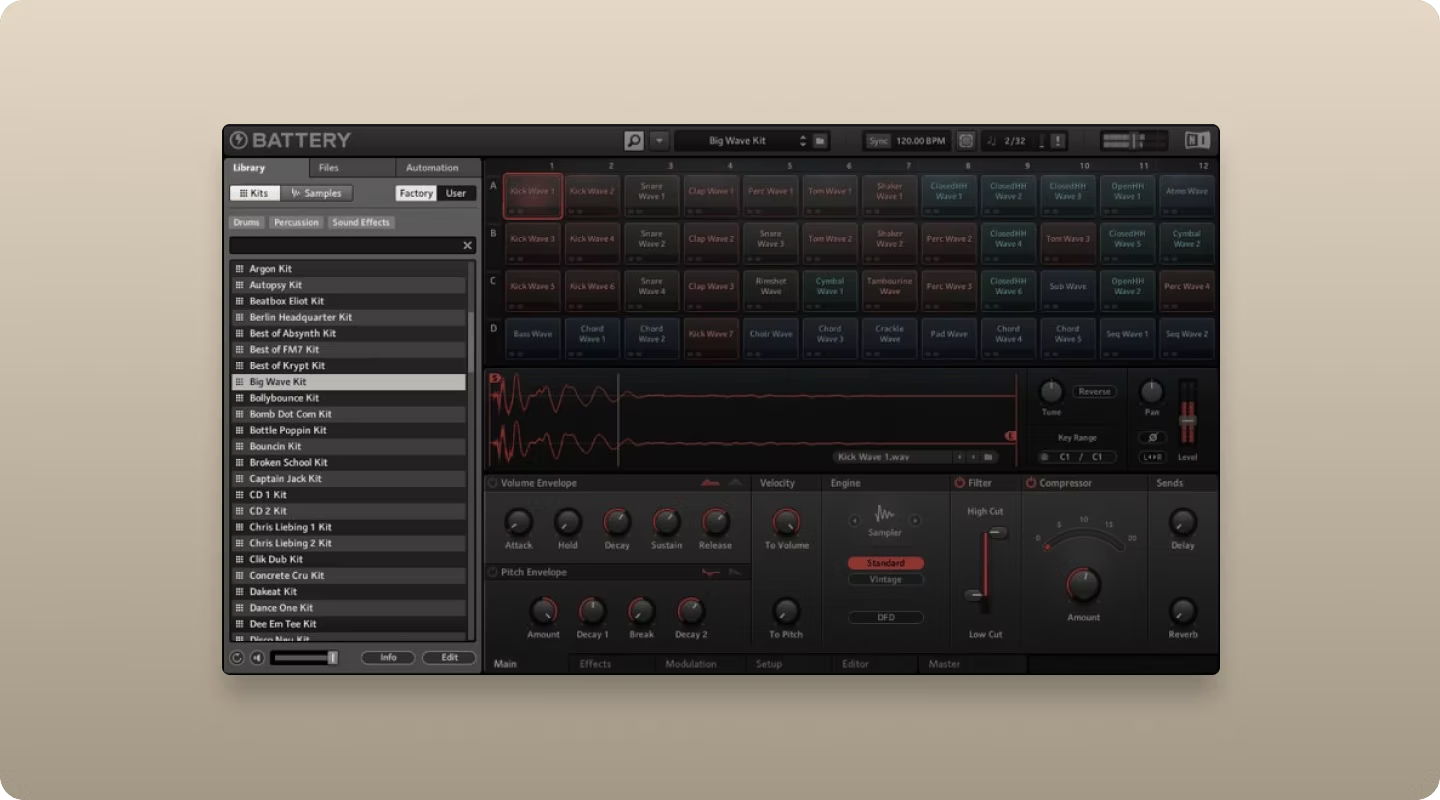
Battery 4 is a cell-based sampler with deep sequencing capabilities. You load your own samples or use the included library, then sequence patterns with velocity lanes, swing, and randomization.
Each cell supports layering, so you can stack multiple samples on a single pad and blend them with velocity crossfades. The drag-and-drop MIDI export makes it easy to move patterns into your DAW's timeline for further editing.
- Cell-based workflow: Each pad holds multiple layers with independent processing and velocity mapping.
- MIDI export: Drag patterns directly into your DAW for arrangement-level editing.
- Randomization: Built-in probability and humanization keep patterns from feeling mechanical.
XLN Audio XO
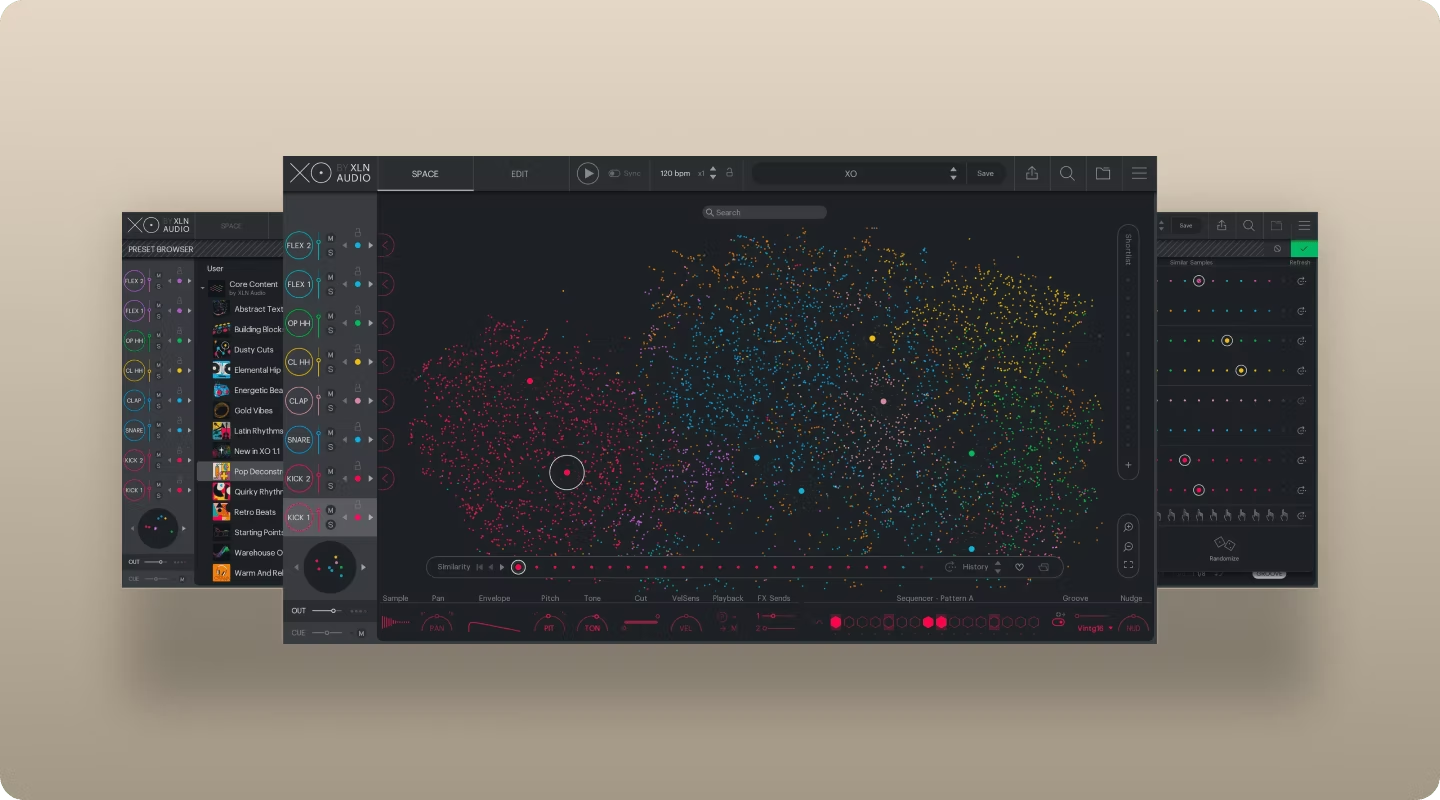
XLN Audio XO uses AI-powered sample organization to cluster similar sounds visually. Instead of scrolling through folders, you navigate a visual map where kicks group together, snares cluster nearby, and hi-hats occupy their own region.
The built-in sequencer generates patterns that you can export as MIDI or audio. XO analyzes your sample library and suggests combinations, which speeds up the initial programming phase.
- Visual sample mapping: Navigate your library spatially instead of scrolling through folders.
- Pattern generation: Built-in sequencer creates starting points you can refine.
- Library analysis: XO organizes your existing samples automatically based on sonic characteristics.
Drum synth plugins for sound design
When you need sounds that don't exist in any sample library, synthesis is the answer. Drum synth plugins generate tones from oscillators, noise, and filters, giving you complete control over the fundamental character of each hit.
Baby Audio Tekno

Baby Audio Tekno is a drum synthesizer focused on electronic genres. Each drum voice is generated from synthesis rather than samples, so you're shaping the actual waveform rather than processing a recording.
The interface prioritizes fast tweaking over deep sound design. You can dial in classic 808-style tones or push into more experimental territory without getting lost in parameters.
- Synthesis-based voices: Every sound is generated, not sampled, giving you unique tones.
- Fast interface: Streamlined controls let you shape sounds quickly without deep menu diving.
- Electronic focus: Tuned specifically for techno, house, and bass music production.
Sonic Academy Kick 2
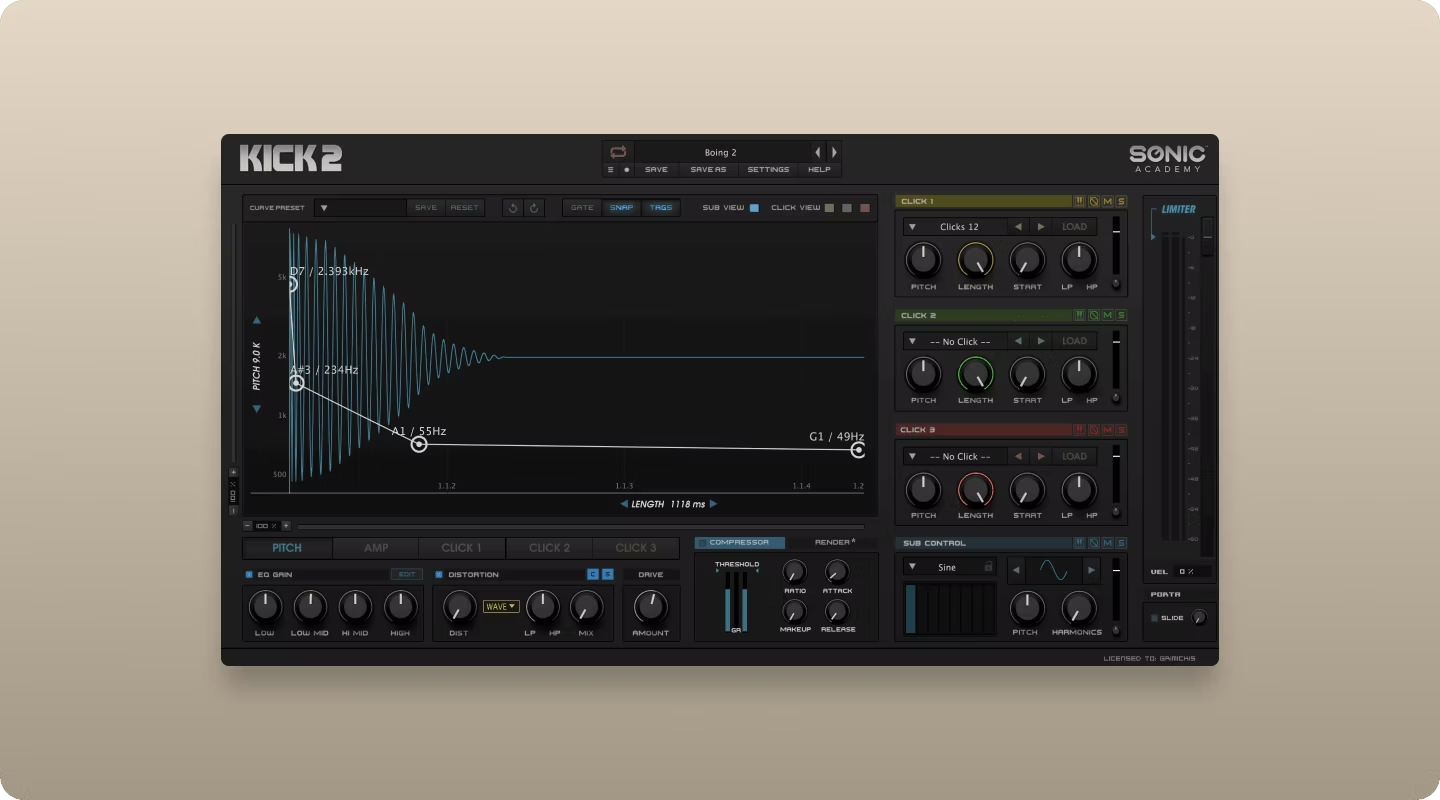
Sonic Academy Kick 2 is a dedicated kick drum synthesizer with layering capabilities. You blend synthesized sub layers with sampled click layers, then shape the pitch envelope and saturation to hit specific frequency targets.
The pitch envelope control is particularly useful. You can tune the sub to hit exactly where you need it in the low end, then add a click layer for attack definition. This precision is why Kick 2 shows up constantly in EDM and bass music production.
- Layer blending: Combine synthesized sub with sampled click for complete kick design.
- Pitch envelope: Precise control over the frequency sweep that defines electronic kicks.
- Frequency targeting: Tune your kick to sit exactly where you need it in the low end.
D16 Group Drumazon and Nepheton

D16 Group Drumazon and Nepheton are analog-modeled recreations of the TR-909 and TR-808. These plugins synthesize each drum sound using the same architecture as the original hardware.
Individual outputs let you process each sound separately, and the built-in pattern sequencers capture the workflow of the original machines. If you want authentic 808 or 909 tones without hunting for vintage hardware, these deliver.
- Analog modeling: Circuit-level recreation of classic drum machine architecture.
- Individual outputs: Route each drum to its own channel for independent processing.
- Built-in sequencer: Program patterns using the same workflow as the original hardware.
How to process acoustic drums for electronic music
The gap between kit plugins and electronic production closes in the FX chain. Saturation, granular processing, and rhythmic modulation transform realistic drums into electronic-ready sounds.
Output Thermal for drum saturation and distortion
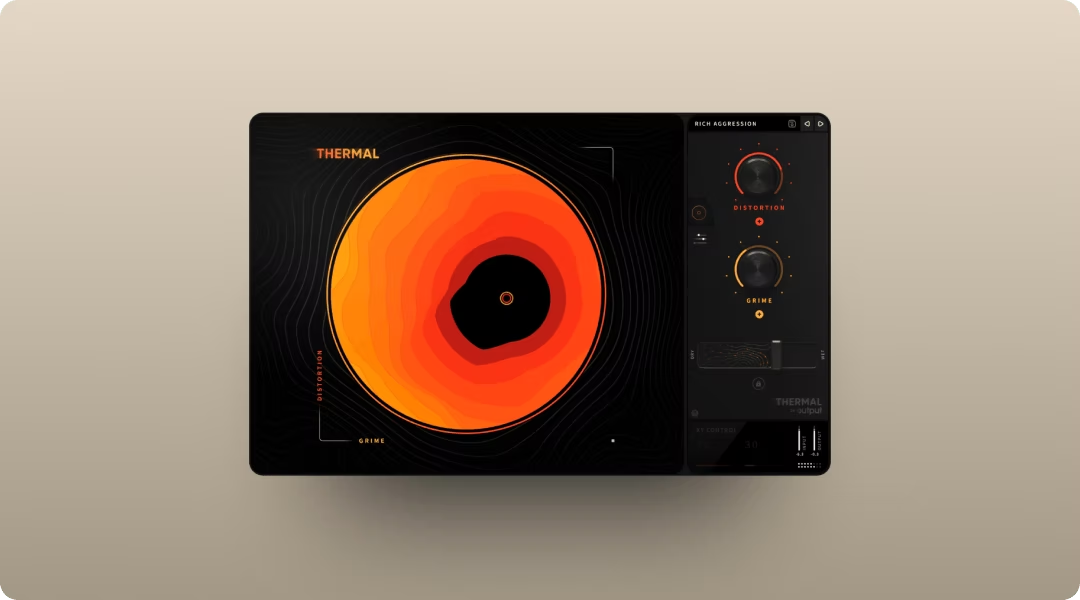
Thermal is a multi-stage distortion plugin that adds harmonic content, punch, and aggression to drum buses or individual hits. The XY control lets you dial in everything from subtle warmth to full destruction while maintaining definition.
Insert Thermal on a drum bus and use the XY pad to find the sweet spot between clean and crushed. The mid-side processing lets you add width while keeping the low end focused. The Sides control adjusts mid-side gain while Width adds time-based stereo spread—use Sides to widen the stereo image of snares and hi-hats while keeping kicks mono. The Tone section (Low/High shelves) processes the full spectrum post-summing, letting you shape the final character after distortion. Fifteen-plus distortion types cover analog-inspired and digital flavors. The Shape control adjusts harmonic density—higher values add more overtones for aggressive drum tones. The Clip parameter introduces bit-crushing characteristics at the zero crossing, useful for adding digital grit to electronic kicks.
Output Portal for glitchy textures and fills
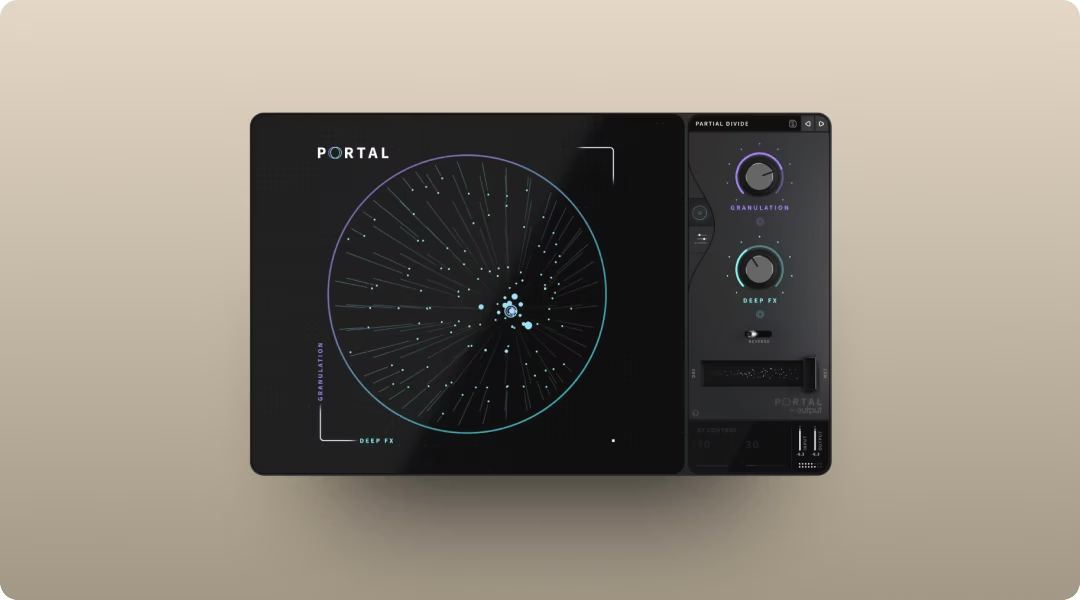
Portal is a granular FX plugin that creates fills, transitions, and textural layers from drum loops. The tempo-synced grain delay and scale-locked pitch modulation keep results musical even when you're pushing into experimental territory.
Feed a drum loop into Portal and automate the XY control during transitions. For drum fills, increase Density for rapid-fire grain triggering and reduce Grain Size for glitchy stutters. The Count parameter controls how many grains play simultaneously—higher values create denser textures. Use the Pitch Diamond for randomized pitch variations that stay musical within your chosen scale. The grains scatter and reform in ways that would take hours to program manually. Enable Stretch mode to slow down the audio buffer without pitch change—combine with Retrigger to snap the playhead at musical intervals, creating rhythmic variations that stay locked to your tempo.
Output Movement for rhythmic gating and pumping
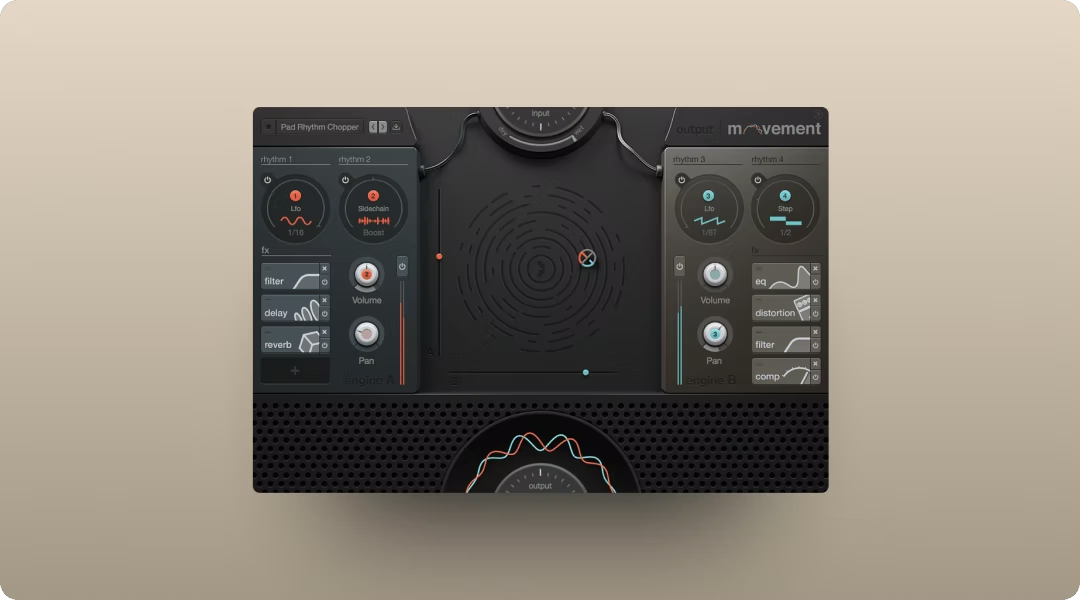
Movement is a rhythm FX plugin that adds sidechain-style pumping, gating, and rhythmic modulation without needing a separate sidechain source. The step sequencer and LFO modulation can animate any parameter.
Insert Movement on a drum bus and use the sidechain modulation to create pumping effects. The Flux and Randomizer functions add organic variation that keeps patterns from feeling static.
All three FX plugins are available through Output One, which bundles them with Arcade and Co-Producer.
How to find drum samples that fit your track
Searching for samples outside your session breaks creative flow. Co-Producer solves this by listening to your track and recommending drum samples that fit harmonically and rhythmically.
The plugin analyzes your session's tempo and complexity, then surfaces samples from an ever-growing library of royalty-free content. For best results, capture 8 bars when possible—this gives Co-Producer more harmonic and rhythmic content to analyze. Use 4-bar captures when working with shorter, more focused sections. You audition samples in context, then drag and drop directly into your DAW without leaving the session. Found a drum hit that works? Click the three-dot menu and select 'Show Similar Samples' to generate a list of sonically related options—useful for building cohesive drum palettes.
The Re-imagine feature generates unique variations of any sample, so you're not using the same sounds as everyone else. Co-Producer integrates with Arcade for a complete sample workflow: find sounds in Co-Producer, then manipulate them in Arcade. Both are available through Output One.
Can acoustic drum plugins work for electronic music production?
Yes. Acoustic drum plugins provide high-quality source material with natural dynamics that you can process through saturation, distortion, and granular FX to achieve electronic tones.
What separates a drum sampler from a drum synth plugin?
A drum sampler plays back recorded audio with velocity layers and round robin variation. A drum synth generates sounds from oscillators and noise, giving you deeper control over the fundamental character of each hit.
Should you use multiple drum plugins in one session?
Many producers combine a kit plugin for realistic source material, a synth for signature sounds, and a sequencer for pattern variation. Arcade's Sampler Generator bridges these approaches—import any audio sample and Arcade slices it across the keyboard with preset FX Macros, letting you turn synthesized drums or processed recordings into playable instruments. Processing everything through a shared FX chain creates cohesion across the different sources.
Output One includes Arcade, Co-Producer, Thermal, Portal, and Movement—everything mentioned above—plus all FX expansions. Get punchier hits, faster ideas, and cleaner drum textures by using them together in one subscription.
Try it free