Royalty Free Samples: What They Are and How to Use Them
Royalty-free samples let you release without clearances or royalty splits, but using them straight out of the box is how you end up sounding like every other producer who downloaded the same pack. Here's how to find royalty-free samples that actually fit your track.

Get Co-Producer and Arcade with unlimited access to premium, royalty-free samples and instruments. Plus, unlock Portal, Thermal, and Movement.
Try it freeRoyalty Free Samples: What They Are and How to Use Them
Royalty free samples let you build tracks without chasing clearances or splitting royalties, but finding sounds that actually fit your session and making them feel like yours takes more than just downloading packs. We'll break down what royalty free licensing actually means, where to find samples that match your key and tempo, and how to transform stock sounds into something only you could make.
What makes a sample royalty free?
A royalty free sample is audio you can use in commercial releases without paying ongoing fees after you get it. You pay once or access through a subscription, and you're cleared to release on streaming platforms, sync to video, or sell beats. No per-play payments, no revenue splits, no chasing down clearances later.
This is different from other licensing models:
- Royalty free: One-time acquisition, unlimited commercial use, no per-play fees
- Creative Commons: May require attribution or restrict commercial use depending on the specific license
- Public domain: No copyright restrictions, but often lower quality or limited selection
The key distinction is what happens after you get the sample. With royalty free content, you're done. The license covers derivative works, meaning you can chop, process, layer, and transform the sample however you want. Your finished track is yours to release.
Read the EULA before you commit to any library. Some royalty free licenses exclude sync rights for major placements, limit the number of projects you can use a sample in, or require you to register your releases. Most premium libraries offer straightforward terms, but the details matter when you're building a catalog you plan to monetize.
Content ID is another consideration. Some royalty free libraries register their samples with YouTube's Content ID system, which can trigger claims on your uploads even when you have a valid license. Look for libraries that explicitly state their content won't cause ID conflicts, or that provide documentation to dispute claims quickly.
How to find royalty free samples that fit your track

The traditional workflow for finding samples is brutal. You open a browser, search by genre or instrument, download files, drag them into your session, realize they don't fit the key or tempo, and repeat. Hours disappear into folder digging instead of making music.
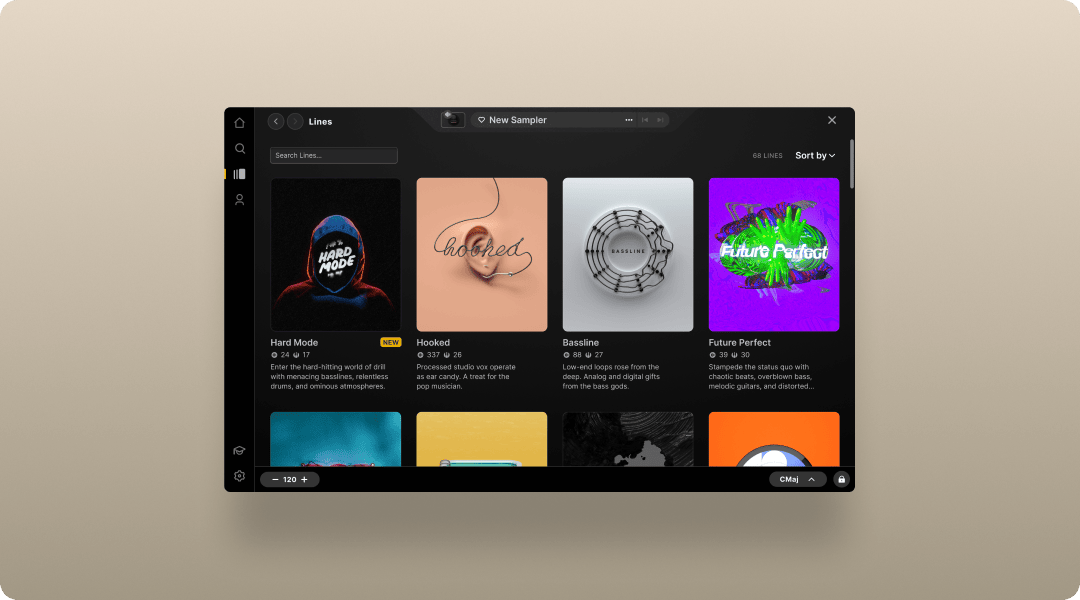
Co-Producer changes this by listening to your session and recommending samples that actually fit what you're building. It analyzes the harmonic and rhythmic context of your track, then surfaces audio samples that match. You audition in context, drag and drop directly into your DAW, and keep moving.
- Session listening: Co-Producer hears your track and recommends samples that fit the key, tempo, and groove
- Drag-and-drop workflow: Audition samples in context and drop them directly into your arrangement
- No credits: Unlimited access to premium, royalty free sounds without rationing ideas
Co-Producer offers three distinct search approaches: audio-only search (where the plugin analyzes your playback), text-only search (using descriptive terms like 'cinematic driving drum beat' or 'soulful piano melodies'), or a combination of both for the most refined results.
The plugin sits on your master track's FX insert, where it can hear everything in your session. When you want samples for beats, drums, 808s, or melodic elements, Co-Producer shows you options that work with your existing arrangement. You can refine results with tags or use the "show similar" option to explore variations on something you like.
For producers who prefer manual curation, Splice offers a massive catalog with filtering by BPM, key, instrument category, and genre.
- Credit-based model: Download individual sounds without committing to full packs
- Splice Bridge: Preview samples in your DAW before using credits
- Massive catalog: Millions of samples across every genre
Loopcloud from Loopmasters takes a similar approach with browser-based searching and DAW integration.
- Plugin and app: Browse and preview samples without leaving your session
- Key and tempo sync: Audition samples locked to your project settings
- Points system: Flexible purchasing across the Loopmasters catalog
Both work well, but they're slower than context-aware discovery and require you to mentally translate between what you're hearing in your session and what you're searching for.
Where to get royalty free loops and one-shots
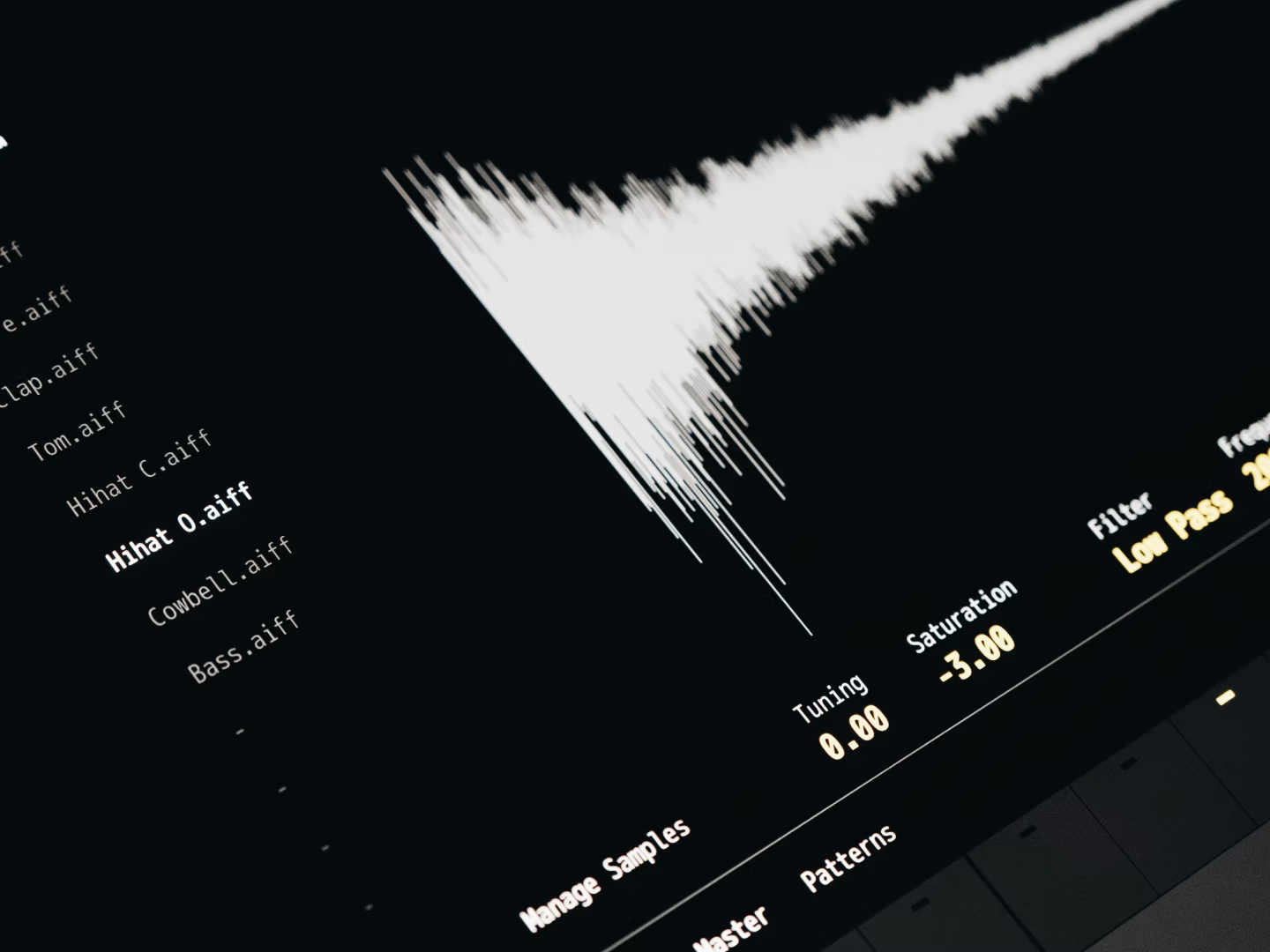
Royalty free audio samples come in several formats. Understanding the differences helps you choose the right material for your workflow.
- Loops: Pre-arranged phrases, typically 2-8 bars, that repeat seamlessly. Useful for quick arrangement building and establishing groove.
- One-shots: Single hits, stabs, or vocal chops. Better for custom sequencing, layering, and building patterns from scratch.
- Stems: Isolated elements from a larger arrangement. Ideal for remixing or detailed processing of individual components.
Loops get you moving fast. Drop a drum loop, add a melodic phrase, and you've got the skeleton of a track in minutes. One-shots give you more control but require more work. Most producers use both depending on the stage of production.
Arcade turns loops and one-shots into playable instruments. Instead of just dragging audio to a timeline, you load samples into Arcade and perform them via MIDI. The plugin locks everything to your session's key and tempo, so you can audition and record variations in real time.
- Playable sampler: Perform loops and one-shots via MIDI instead of static arrangement
- Auto-chop: Drag your own samples in and slice them into playable kits
- Macros and FX: Shape sounds with built-in controls and effects
Both Co-Producer and Arcade are available together in Output One, which also includes the FX plugins Portal, Thermal, and Movement. If you're building a sample-first workflow, having discovery, performance, and processing in one ecosystem keeps you in flow.
LANDR Samples offers another solid option for producers who want curated content organized by mood and style.
- AI-powered recommendations: Suggestions based on your listening and download history
- Curated collections: Packs organized by vibe, genre, and production style
- Subscription tiers: Flexible access levels depending on your needs
Cymatics focuses on modern genres like trap, hip-hop, and EDM with free and premium pack options.
- Genre-specific packs: Focused collections for current production styles
- Free sample packs: Regular releases at no cost to build your library
- Preset bundles: Samples paired with synth presets for faster sound design
How to use royalty free samples in your DAW
Once you've found samples that fit, the next step is getting them into your arrangement and making them work with everything else.
The basic process is straightforward. Import samples to audio tracks, sync to project tempo, and adjust pitch if needed. Modern DAWs handle time-stretching automatically, but you'll get better results if your samples are already close to your session's BPM. Large tempo shifts introduce artifacts, especially on transient-heavy material like drums.
From there, manipulation is where samples become yours:
- Chopping: Slice loops into smaller segments and rearrange them. This breaks the original phrase structure and creates something new from existing material.
- Layering: Stack multiple samples to build richer textures. A thin snare becomes punchy when layered with a second hit.
- Processing: Add FX to transform samples beyond recognition. Saturation, granular effects, and rhythmic modulation can turn a generic loop into something no one else has. Arcade's Modifiers—Resequence, Playhead, and Repeater—let you reimagine samples in real-time by slicing, reordering, and stuttering playback with the press of a key, creating variations that feel performed rather than programmed.
Arcade's auto-chop feature speeds up the slicing process. Drag any sample into the plugin, and it generates a playable kit with individual slices mapped across your MIDI controller. You can choose from four different slice algorithms that alter how Arcade divides the sample, and apply FX presets that shape the overall sound while configuring the Macro sliders for real-time control. You can adjust slice points, add FX per slice, and save custom kits for later sessions.
Serato Sample offers another approach to chopping and manipulating audio.
- Automatic slicing: Intelligent detection of transients and musical phrases
- Key and tempo lock: Pitch and time adjustments that stay musical
- Cue point workflow: DJ-style sample triggering for performance
For processing, Portal handles granular texture manipulation. It breaks audio into grains and re-synthesizes them with pitch, time, and density control. Portal's stretch controls let you slow down the audio buffer while retrigger snaps the playhead at synced intervals, and the scale quantization ensures pitch-shifted grains stay musical by locking to specific intervals or chords. A straightforward vocal chop becomes an evolving pad. A drum loop transforms into rhythmic glitch.
Thermal adds saturation and harmonic character when you want samples to cut through a dense mix without just turning them up. Its band-split feature lets you target specific frequency ranges for distortion—adding grit to the mids while keeping the low end clean—and the refilter option removes unwanted harmonics that can muddy the result. Both are available through Output One alongside Co-Producer and Arcade.
How to make royalty free samples sound original
The concern with royalty free content is that other producers have access to the same material. If you're using samples straight out of the box, you risk sounding like everyone else who downloaded the same pack.
The solution is transformation. The more you process and reshape samples, the further they move from their original form.
Start with pitch manipulation. Shifting a sample up or down by a few semitones changes its character without destroying the original vibe. Reversing audio creates textures that feel unfamiliar even when the source is recognizable. Granular processing through Portal can smear, scatter, and stretch samples into entirely new territory. The plugin chains two post-granulator effects—choose from options like reverb, stereo delay, phaser, or bit reducer—to further shape the texture before it hits your mix.
Co-Producer's Re-imagine feature takes this further. It uses ethically trained AI to generate one-of-a-kind variations of any sample in the library. These aren't slight tweaks. They're entirely new versions that won't appear in other producers' tracks.
- Infinite variations: Re-imagine the same sample multiple times for different results each time
- Ethically trained: The AI model was trained exclusively on Output's royalty-free sample library and Creative Commons-licensed content (CC0, CC BY, or CC Sampling+), not on copyrighted music without permission
- Unique output: Generated variations are exclusive to your session
Layering processed samples with original recordings or synthesized elements creates hybrid textures that feel personal. A royalty free drum loop gains identity when you layer it with a one-shot you recorded yourself. A melodic phrase becomes yours when you run it through a chain of effects that reflects your taste.
Soundtoys Crystallizer offers another path to transformation through pitch-shifted delay and reverse effects.
- Pitch-shifted echoes: Classic H3000-style reverse shift processing
- Rhythmic sync: Delay times locked to your session tempo
- Analog character: Warm, musical artifacts that add texture
The goal isn't to hide that you're using samples. It's to use them as raw material for something only you could make.
What to look for in a royalty free sample library
Not all sample libraries are equal. Before committing to a subscription or purchase, evaluate these factors:
- License terms: Confirm commercial use is included and understand any restrictions. Some libraries limit sync placements or require registration.
- Sound quality: Professional recording and processing standards matter. Poorly recorded samples require more work to sit in a mix.
- Genre coverage: Breadth of styles that match your production needs. A library focused on EDM won't help if you're scoring for film.
- Fresh content: Regular updates help you avoid overused sounds. Libraries that add new material weekly or daily keep your palette current.
- Workflow integration: Plugin-based access versus file downloads. Staying inside your DAW preserves creative momentum.
Output's library is updated regularly with content from in-house producers and partner labels including Black Octopus Sound, Minimal Audio, Cinesamples, and Zenhiser. Everything is accessible through Co-Producer and Arcade without credit limits, so you're never rationing ideas or waiting for downloads.
The combination of context-aware discovery, playable manipulation, and unlimited access creates a workflow where finding and using samples happens in the same motion. You're not switching between browser tabs and your DAW. You're staying in the session, making decisions, and moving forward.
FAQ
Can I release music made with royalty free samples on Spotify and Apple Music?
Yes. Royalty free licenses cover commercial releases on streaming platforms. The license you receive at acquisition clears you for distribution without additional payments or royalty splits.
Will royalty free samples trigger Content ID claims on my YouTube videos?
Some libraries register their content with Content ID, which can cause claims even when you have a valid license. Look for libraries that explicitly state their samples won't trigger ID conflicts, or keep your license documentation ready to dispute claims.
What is the difference between royalty free and copyright free samples?
Royalty free means no ongoing payments after acquisition, but the original creator still holds copyright. Copyright free means no copyright exists at all. Most professional sample libraries are royalty free, not copyright free.
Do I need to credit the sample creator when using royalty free content?
Most royalty free licenses do not require attribution. However, some Creative Commons licenses do require credit. Check the specific terms of your license to confirm whether attribution is needed.
You’ve got the samples—now shape them with Output Thermal, Output Arcade, Output Portal, Output Movement, and Output Co-Producer. Output One includes all of these tools (plus more FX expansions) in one subscription, so you can write faster and keep your sound original.
Try it free