J Cole Type Beat 101: Keys, Tempo, and Drum Patterns
Nail the J Cole type beat sound with specific tempo ranges (80–100 BPM), behind-the-beat drum programming, soulful jazz voicings, and arrangement moves that give the rapper room to breathe.

Get Co-Producer and Arcade with unlimited access to premium, royalty-free samples and instruments. Plus, unlock Portal, Thermal, and Movement.
Try it freeJ Cole Type Beat 101: Keys, Tempo, and Drum Patterns
J Cole type beats live in the space between boom bap grit and soulful introspection, and nailing that sound means understanding the tempo, drum programming, chord choices, and arrangement moves that make the style work.
What makes a J Cole type beat sound like J Cole
A J Cole type beat is a hip-hop instrumental built around introspective mood, soulful samples, and drums that feel human rather than machine-perfect. This means the production supports storytelling instead of competing with it.
The J Cole style draws from jazz and R&B. You'll hear Rhodes, warm keys, and sample chops that feel lived-in. The drums sit slightly behind the beat with natural velocity variation, avoiding the rigid quantization that makes lesser beats sound lifeless.
- Introspective mood: Chord progressions that leave emotional space for lyrics
- Soulful source material: Jazz and R&B influenced samples with warmth
- Human timing: Drums placed slightly behind the grid with velocity variation
- Dynamic arrangement: Builds and drops that serve the narrative
The arrangement moves with intention. Verses strip back to give the rapper room. Hooks add layers to signal the shift. This dynamic approach separates a J Cole type beat from loops that stay static for four minutes.
J Cole type beat tempo ranges and pocket
Most J Cole productions sit between 80 and 100 BPM. The groove often feels slower due to halftime drum placement and sparse kick patterns. This relaxed zone supports conversational flows without dragging.
The behind-the-beat feel comes from nudging snares and kicks slightly late, typically 10 to 30 milliseconds. You can achieve this by adjusting note positions manually or using your DAW's track delay function.
- BPM range: 80 to 100 BPM for conversational delivery
- Behind-the-beat placement: Nudge drums 10 to 30 milliseconds late
- Swing settings: Apply 50 to 60 percent MPC-style swing to hi-hats
Swing settings matter for hi-hats and percussion. Apply subtle MPC-style swing or work on a triplet grid to avoid stiff 16th-note patterns. The goal is groove that breathes.
J Cole drum patterns, swing, and percussion choices
The drum sound selection defines the character before you program a single note. J Cole type beats favor punchy kicks with boom bap character, rimshots over hard snares, and hi-hats with velocity variation.
Kick selection and placement
Choose kicks with punch and body but without excessive sub frequencies. Boom bap style kicks with a quick transient and controlled decay work well. Place them on the one and three with occasional variations.
Snare and rimshot layering
Rimshots and layered snare-claps create a softer, more organic hit than aggressive trap snares. Layer a rimshot with a subtle clap to add texture without harshness. Vary the velocity slightly between hits.
Hi-hat programming with velocity
Program hi-hats with velocity variation between 60 and 100 percent. Add subtle swing and occasional open hats on off-beats. Ghost notes fill space without cluttering the groove.
Percussion for warmth
Shakers, tambourines, or vinyl crackle add warmth without demanding attention. A light shaker on eighth notes can transform a flat loop into something that breathes.
Soulful chords, samples, and melodies for J Cole type beats
The harmonic DNA of a J Cole type beat draws from jazz and soul. Chord voicings with 7ths and 9ths create the introspective mood without sounding academic.
Rhodes and electric piano are staples. Add subtle tremolo or chorus to give the keys movement. The goal is warmth and presence, not a pristine digital sound.
When working with samples, pitch-shifting and time-stretching soul loops can yield great results. If you're concerned about clearance, replay the melodic content yourself or use royalty-free sources. Adding vinyl texture through subtle noise gives synths an aged quality.
- Chord color: Jazz voicings with 7ths and 9ths
- Rhodes processing: Electric piano with subtle tremolo or chorus
- Key choices: Minor keys dominate, but major progressions with melancholic twists work
Basslines and 808s that stay warm
The low end in a J Cole type beat needs to be musical and controlled. Always tune your 808 to the root note of the chord progression.
Glide and portamento add expression. Subtle pitch slides between notes create movement that a static bass pattern lacks. Keep the glide time short enough to feel intentional.
Saturation adds harmonics that help the bass translate on laptop speakers. Without those upper harmonics, your sub frequencies disappear on smaller playback systems. Keep sub frequencies mono to prevent phase cancellation.
- 808 tuning: Match the root note of your chord progression
- Saturation: Add harmonics for translation on smaller speakers
- Sidechain: Light compression to the kick helps the low end breathe
Arrangement moves for verses and hooks
Arrangement in a J Cole type beat serves the storytelling. The beat should support the rapper, not compete for attention.
Verse dropouts
Pull back drums or melodic elements during verses. A verse might drop to just kick, snare, and a single melodic element while the hook brings everything back.
Hook lifts
Add layers, open hi-hats, or new melodic elements to signal the chorus. A subtle pad or counter-melody can lift the hook without overwhelming it.
Bridge strategies
Strip to just bass and a single melodic element for emotional contrast. Use risers or reverse samples sparingly to connect sections.
Texture and mix choices that keep the beat human
The warm aesthetic comes from tasteful saturation, room reverb, and disciplined stereo width.
Tape-style saturation on the drum bus adds cohesion. Short room reverb on drums creates space without washing out transients. Cut competing frequencies between bass, kick, and melodic elements.
- Saturation: Tape-style processing on drum bus for cohesion
- Room reverb: Short verb on drums for space without wash
- Stereo width: Keep drums and bass centered, spread melodic elements wider
How to find samples that fit with Co-Producer

Finding soulful, royalty-free samples that match your track used to mean hours of browsing. Co-Producer changes that by listening to your session and surfacing samples that fit what you're already making.
Load Co-Producer on your master track's FX insert. The plugin analyzes your session's harmony and rhythm, then recommends samples from an ever-growing library of musician-made content. For best results, capture 8 bars of audio—this gives Co-Producer more harmonic and rhythmic content to analyze when recommending complementary samples. Drag and drop directly into your DAW without breaking your flow.
- Session listening: Analyzes your track to recommend fitting samples
- Drag-and-drop: Pull samples directly into your DAW
- Re-imagine: Generate one-of-a-kind variations of any sample
The Re-imagine feature uses ethically trained AI to generate infinite, one-of-a-kind variations from a single starting point—every sound is fresh, flip-ready, and built to drop straight into your DAW. This keeps your beats original while maintaining the soulful character the style demands. Co-Producer is available as part of Output One.
Playable hooks and chop workflows with Arcade

Once you've found samples that fit, Arcade turns them into playable instruments. Load Arcade on a Software Instrument track and start performing rather than just dragging files.
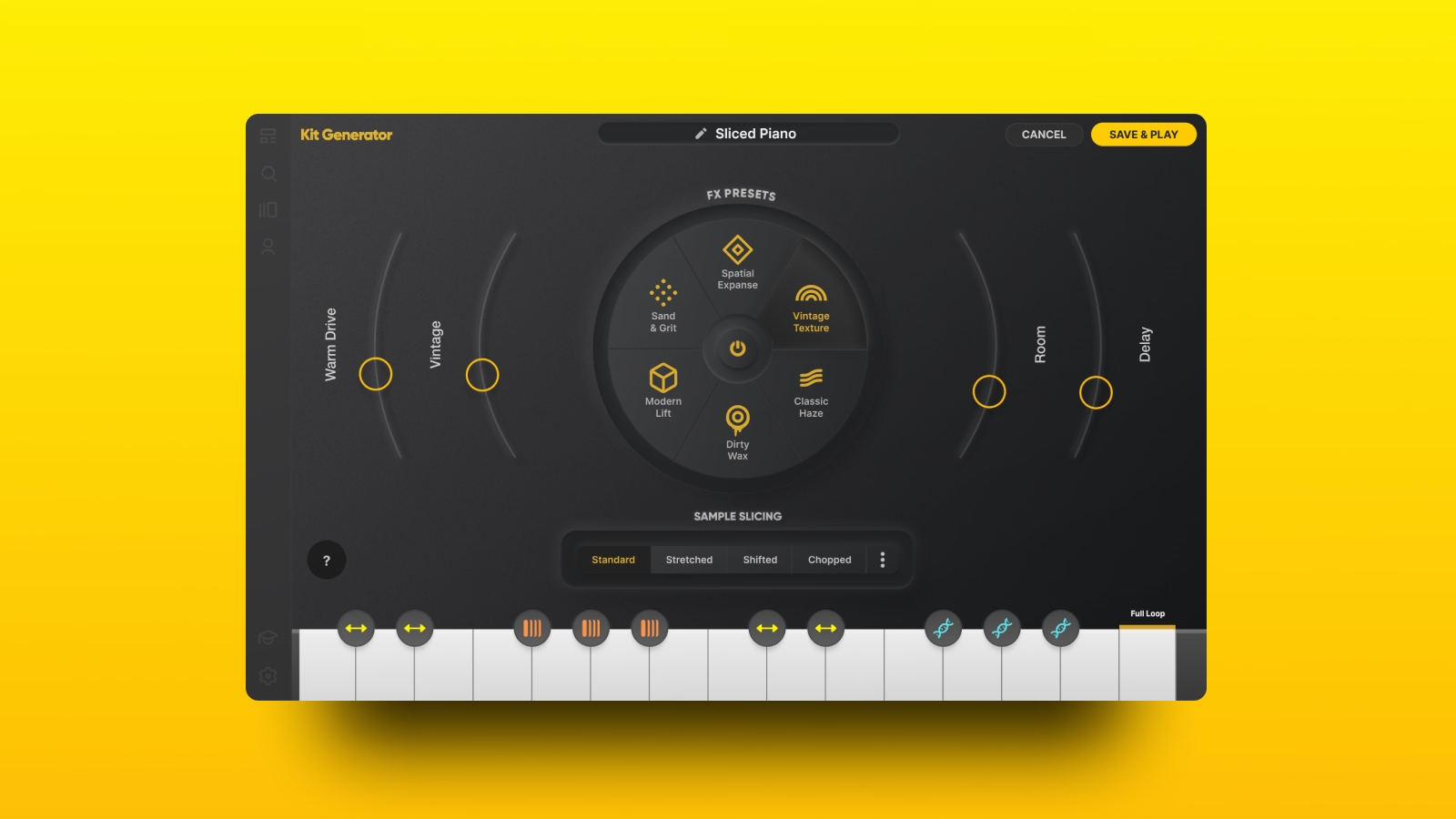
Sampler mode lets you load kits with 15 different samples spread across the white keys (C2-C4), performing chopped patterns in real time, locked to your session's key and tempo. Instrument mode plays samples chromatically for melodies and chord progressions.
- Sampler mode: Perform chopped patterns locked to key and tempo
- Auto-chop:Import your own samples and slice them into playable kits using four different slice algorithms that alter how Arcade distributes the sample across each key
- Macros and FX: Shape sounds with filters and modulation without leaving the plugin
- Modifier keys: Use the black keys (C2-C4) for real-time performative effects—hold a modifier while triggering samples for on-the-fly sound mangling
Arcade is included in Output One alongside Co-Producer and Output's FX suite.
Processing space and grit with Portal and Thermal
Output's FX plugins add texture and character. Each serves a specific purpose in the signal chain.
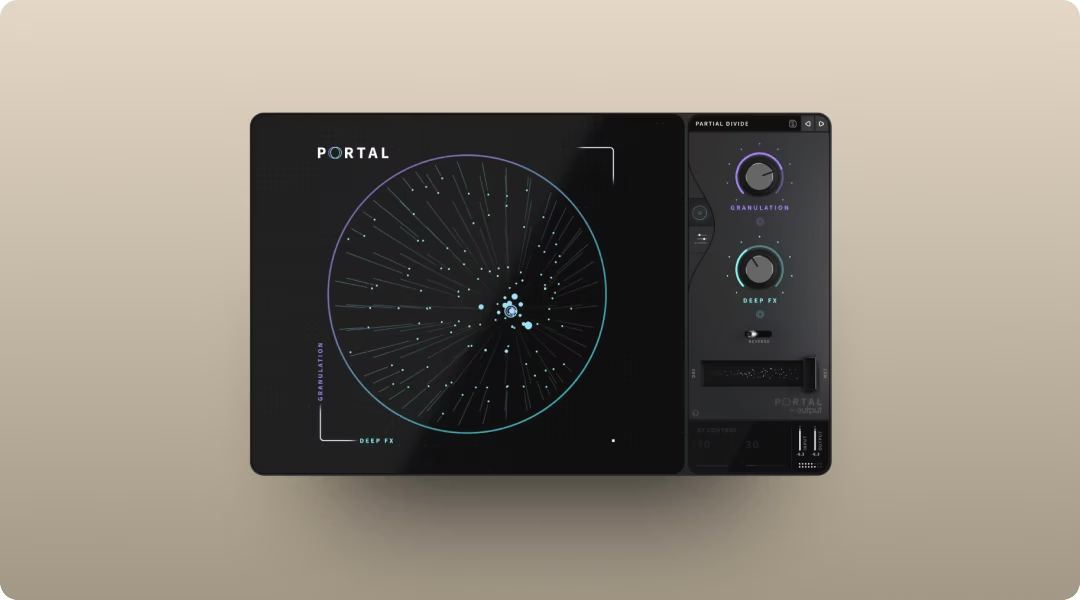
Portal uses granular synthesis to add shimmer and space to pads or melodic elements. Its scale-locked pitch modulation quantizes pitch shifts to your chosen scale, interval, or chord—ensuring processed audio stays musical even with heavy granular manipulation. Use it on aux sends to add depth without overwhelming the source.
- Granular processing: Break audio into grains for shimmer and texture
- Scale lock: Keeps pitch modulation musical
- Tempo sync: Grain delay stays locked to your session
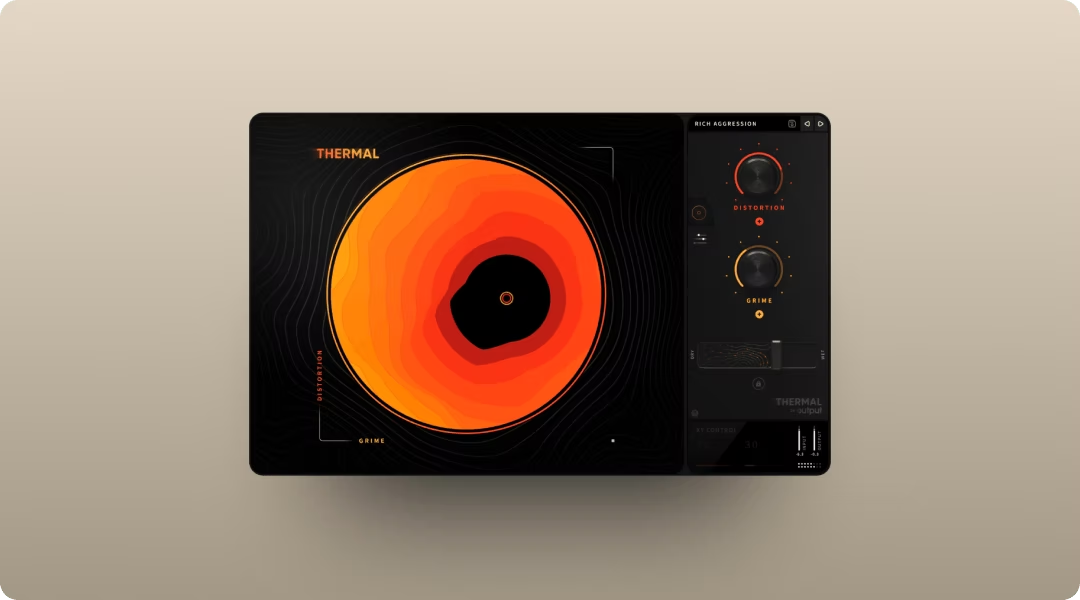
Thermal applies tape-style saturation or multiband distortion to drums and bass. The multi-stage engine features three independent stages you can solo individually, letting you dial in warmth or push into more aggressive territory while hearing exactly how each stage affects your signal.
- Multi-stage distortion: Stack multiple distortion types in series
- XY control: Blend parameters with hands-on morphing
- Multiband processing: Enable Band Split to set custom crossover points, targeting specific frequency ranges—essential for adding warmth to 808s without muddying the kick
Both plugins are available together in Output One.
Adding rhythmic motion with Movement
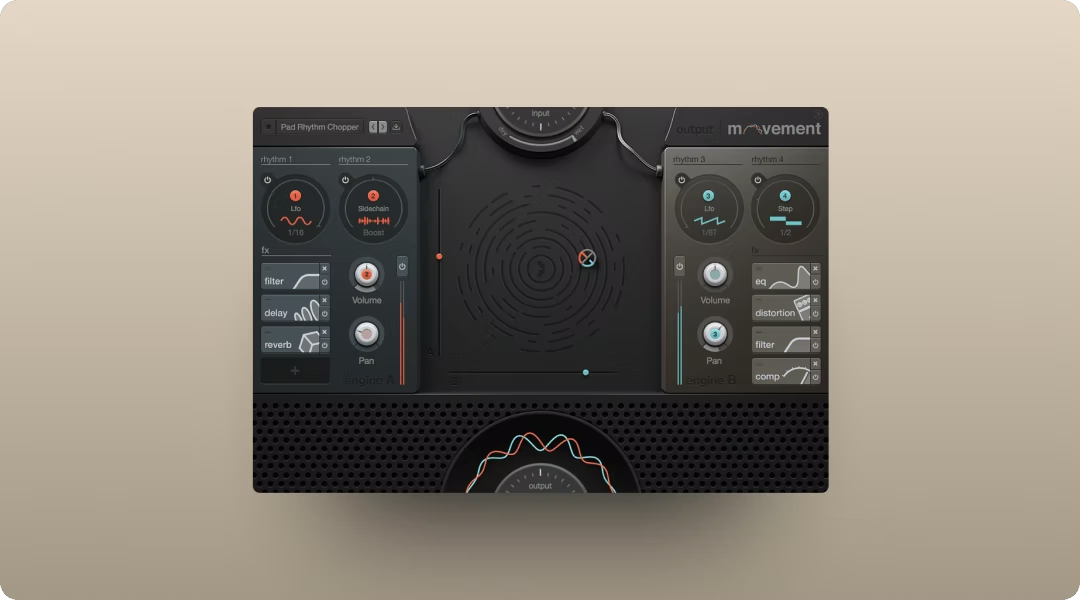
Movement creates rhythmic filter sweeps, tremolo, or sidechain-style pumping on synths and pads. The tempo-synced modulation adds motion without complex automation.
- Rhythm engines: LFO, step sequencer, and sidechain modulation
- XY performance pad: Control multiple parameters in real time
- Built-in FX: Filters, delay, compression, and reverb in one plugin
Insert Movement on any audio or instrument track to animate static sounds. The preset library gets you started quickly, and the Flux mode adds organic variation. Movement is included in Output One with Co-Producer, Arcade, Portal, and Thermal.
Start building your J Cole type beat today
The techniques covered here give you everything you need to craft J Cole type beats that feel authentic. Whether you're sourcing soulful samples, shaping warm 808s, or adding texture to your mix, the goal stays the same: make something that sounds like you.
Output One includes Co-Producer, Arcade, Portal, Thermal, and Movement—all the tools from this guide—plus every FX expansion. Get everything in one subscription and try them together to lock in soulful keys, pocket drums, and polished textures faster.
Try it free