Chord Progression Samples: How to Find and Use Them Fast
Chord progression samples give you harmonic foundations fast—but only if you're not wasting hours digging through folders to find them. Here's how to search by instrument type, match loops to your session with Co-Producer, and flip static chords into something entirely yours with Arcade.

Get Co-Producer and Arcade with unlimited access to premium, royalty-free samples and instruments. Plus, unlock Portal, Thermal, and Movement.
Try it freeChord Progression Samples: How to Find and Use Them Fast
Chord progression samples give you harmonic foundations without building every voicing from scratch, but finding the right one for your track can eat hours if you're digging through folders or rationing credits. This breakdown covers the main categories of chord progression samples by instrument, how to find loops that actually fit your session using Co-Producer, and workflows for turning static samples into something you can chop, reshape, and make your own with Arcade.
Chord progression samples
Chord progression samples are pre-recorded harmonic phrases you can drag directly into your DAW. They're audio loops that contain a sequence of chords, usually labeled by key and tempo, so you can audition them quickly and commit without building every chord from scratch.

The fastest way to find chord progressions that actually fit your track is to let your session do the searching. Co-Producer listens to what you're making and surfaces samples matched to your harmonic context, so you spend less time browsing folders and more time making decisions about music. Co-Producer offers three search modes: audio-only (let your track guide the results), text-only (describe what you're looking for), or a combination of both for the most refined results.
Below are the main categories of chord progression samples worth knowing, organized by instrument.
Guitar chord progression samples
Guitar chord progressions cover everything from acoustic fingerpicking to electric funk stabs. The style you choose depends on the genre and the role you want the guitar to play in your mix.
- Acoustic strums: Work well for indie folk verses, singer-songwriter intros, and stripped-back bridges where you want warmth and intimacy
- Electric clean tones: Fit R&B, neo-soul, and lo-fi hip-hop where you need harmonic content without distortion or aggression
- Funk stabs: Add rhythmic energy to pop, disco, and house tracks, usually played tight to the grid with muted strings between hits
- Nylon fingerpicking: Useful for Latin-influenced production, cinematic cues, and ambient textures where you want a softer attack
Most libraries label guitar chord progressions by key and BPM. Look for samples with natural velocity variation and humanized timing if you want them to sit in a mix without heavy editing. Stiff, quantized guitar loops tend to stick out, especially in genres where groove matters.
Piano and keys chord progression samples
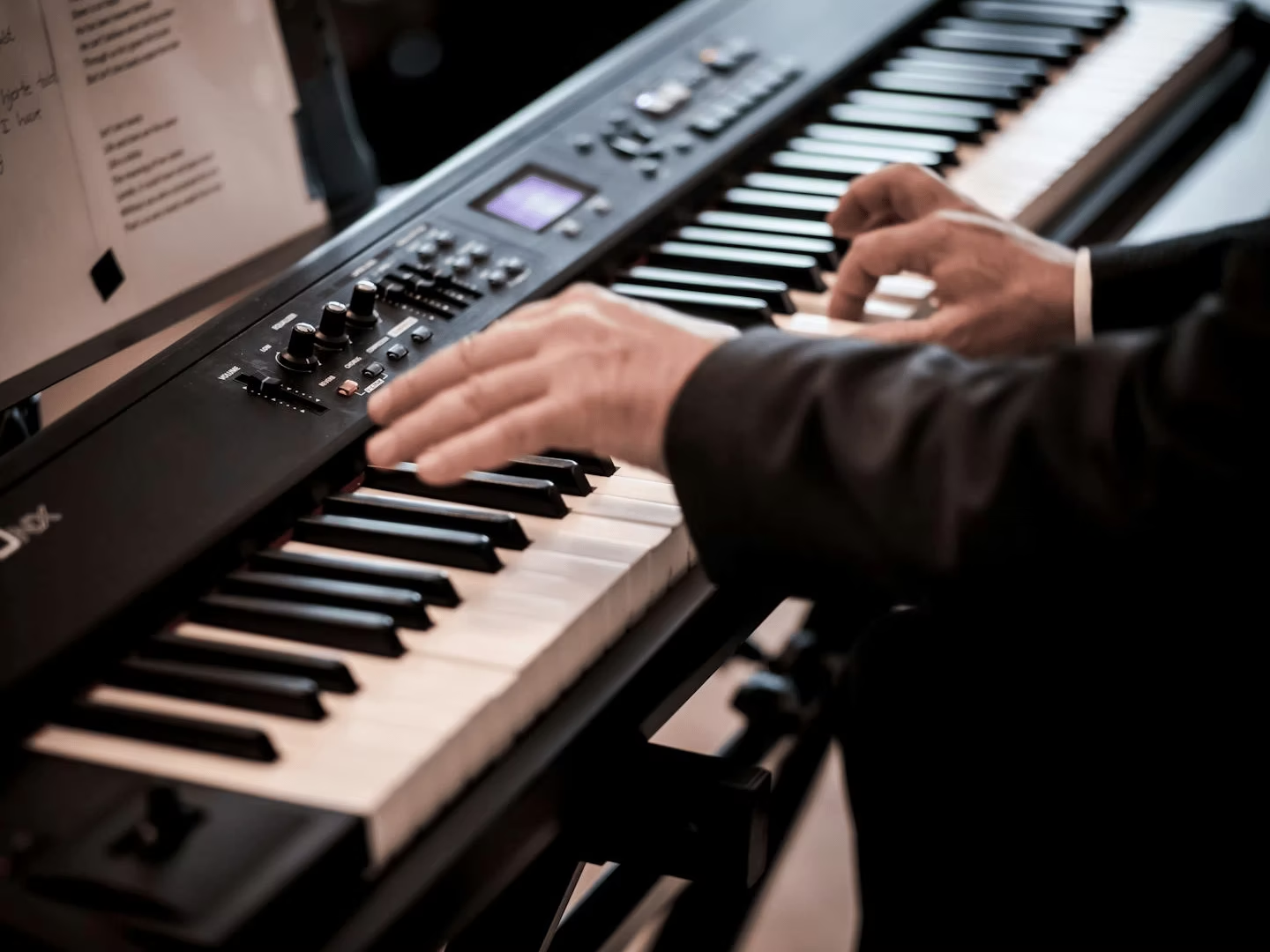
Piano and keys progressions are the backbone of most pop, R&B, and hip-hop production. This category includes acoustic piano, Rhodes, Wurlitzer, Clavinet, and organ-based loops.
- Neo-soul: Lush 9th and 11th chords with slow harmonic movement, often played with a loose, behind-the-beat feel
- Gospel: Dense voicings, passing chords, and chromatic runs that add emotional weight and complexity
- Lo-fi hip-hop: Dusty, detuned piano with tape saturation baked in, usually simple progressions with a nostalgic character. If your piano sample sounds too clean for lo-fi contexts, Thermal's multi-stage distortion can add tape-style warmth and harmonic saturation—use the AUTO gain compensation to add character without volume spikes.
- Cinematic: Wide, reverb-heavy progressions for scoring and ambient work, designed to fill space without competing with dialogue or other elements
The best keys samples capture velocity dynamics and pedal noise. These details make a loop feel played rather than programmed. If a piano sample sounds too mechanical, it's usually missing that human variation.
Synth and pad chord progression samples
Synth and pad progressions bring sustained harmonic content with built-in movement. These samples often include filter sweeps, LFO modulation, or evolving textures that add interest over time without requiring additional processing. For static pad samples that lack motion, Movement adds tempo-synced rhythmic modulation—sidechain pumping, filter sequences, or tremolo patterns that bring sustained chords to life without manual automation.
- Ambient pads: Long, slow-moving chords for intros, outros, and transitions where you want atmosphere without rhythmic activity
- Synthwave: Bright, detuned analog-style stacks with chorus and delay, designed to evoke 80s nostalgia
- Hyperpop: Aggressive, pitch-shifted chords with heavy processing, often layered with distortion and extreme stereo width
- Future bass: Wide, supersaw-style progressions with sidechain pumping, built to hit hard on drops
Synth chord samples are typically more processed than acoustic ones, so they may need less work to sit in a mix. Just watch for frequency clashes with your bass and lead elements, since pads can eat up a lot of midrange and low-mid space. For even more texture, run pad progressions through Portal's granular engine—stretch grains, add pitch randomization, or use the feedback delay to create evolving, cinematic chord beds from static loops.
R&B and pop chord progression samples
R&B and pop progressions tend to feature extended harmonies, chromatic movement, and layered instrumentation. These samples are often mix-ready, combining keys, pads, and subtle guitar or synth layers into a single loop.
Common chord movements in these genres include I–V–vi–IV, ii–V–I, and vi–IV–I–V. You'll also hear a lot of major 7ths, minor 9ths, and add9 chords, which add color without creating dissonance.
If you're working in these genres, look for samples that leave room for vocals. Progressions with too much midrange activity can fight with a topline, so you may need to EQ or filter them to create space.
Royalty-free chord samples without folder digging
Finding the right chord progression shouldn't mean hours of browsing folders or rationing credits on a sample platform. The samples you use should be cleared for commercial release, performed by real musicians, and accessible without friction.
Premium musician-made samples
Every chord progression in the Output library is performed by session musicians and sound designers. These aren't auto-generated loops or MIDI-to-audio renders. You get real performances with natural timing, velocity variation, and harmonic intention.
This matters when you're building a track that needs to feel human. Quantized, lifeless chords stick out, especially in genres where groove and feel carry the production. Samples that were actually played by a person tend to sit better without heavy editing.
Unlimited access with Output One
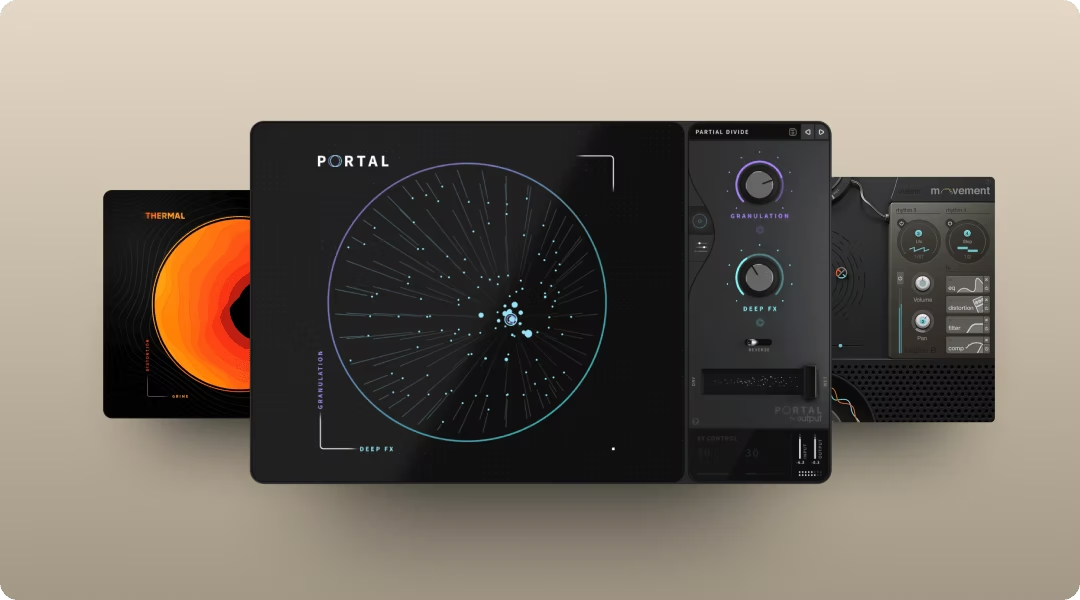
Output One bundles Co-Producer, Arcade, Portal, Thermal, and Movement into a single subscription. You also get unlimited access to an ever-growing library of royalty-free samples and instruments, with new content added regularly.
- Co-Producer: Finds samples that fit your session's key, tempo, and harmonic context by listening to your track in real time
- Arcade: Turns samples into playable instruments you can chop, reshape, and perform using MIDI
- Portal: Granular FX for transforming audio into new textures, from subtle shimmer to full-on glitch
- Thermal: Multi-stage distortion for adding warmth, saturation, or aggressive harmonic color
- Movement: Rhythmic FX for adding tempo-synced motion and modulation to any audio source
There are no credits to track or ration. You download and use as much as you want. If you're already using one Output plugin, Output One is the most efficient way to access the full ecosystem.
Drag-and-drop into your DAW
Once you find a chord progression that works, you can drag it directly from Co-Producer into your session. No exporting, no file management, no leaving your DAW. The sample lands in your arrangement at the correct tempo and key, ready to edit or commit.
This workflow keeps you in creative mode instead of administrative mode. You're making decisions about music, not managing folders or converting file formats.
Chord progression sample packs and starting points
If you prefer curated collections over open-ended browsing, sample packs offer a focused entry point. These are organized by genre, mood, or instrument, so you can load a pack and start working immediately without decision fatigue. In Arcade, these collections are organized as "Lines"—themed sound libraries like Drum Sesh for live drums or Toys for playful instruments—each containing curated Kits that function as ready-to-play presets.
- Genre packs:Hip-hop, R&B, pop, lo-fi, cinematic, drill, and more, each with a consistent sonic identity
- Mood packs: Dark, uplifting, melancholic, energetic, designed to match a specific emotional tone
- Instrument packs:Piano-only, guitar-only, or synth-only collections for when you know exactly what sound you need
Many packs include common chord progressions like I–V–vi–IV or ii–V–I, which appear across thousands of songs. A chord progression chart can help you identify which Roman numeral patterns match the vibe you're chasing if you want to search by harmonic structure.
Packs are useful when you want constraints. Instead of infinite options, you get a curated set that shares a sonic identity, which can speed up your workflow and help you commit to ideas faster.
How to use chord progression samples in a session
Finding samples is only half the workflow. The other half is getting them into your session, making them fit, and turning them into something that sounds like you made it.
Find chord progressions that fit with Co-Producer
Co-Producer listens to your session and recommends chord progression samples that match what you're already making. It analyzes harmony, rhythm, tempo, and complexity, then surfaces samples that fit without manual filtering or keyword searching.
Here's how the workflow looks:
- Load Co-Producer on your master track: It sits in the FX insert and analyzes your session in real time as you play back your project
- Browse recommendations: Samples are filtered to match your track's harmonic and rhythmic context, so you're not scrolling through irrelevant results
- Drag and drop: Pull the sample directly into your arrangement without leaving the plugin or managing files
You can also refine results with tags or search for similar samples once you find something close. Pro tip: When using text search, structure your query as Descriptor + Genre + Instrument (e.g., "soulful neo-soul piano" or "atmospheric ambient pads") for more targeted results. Co-Producer is available standalone or as part of Output One.
Make chords playable with Arcade
Once you've found a chord progression sample, you can load it into Arcade to chop, rearrange, and play it as a kit or instrument. This turns a static loop into something you can perform and manipulate in real time.
Arcade is an instrument plugin, so you'll load it on a Software Instrument or MIDI track in your DAW. Arcade offers two Kit types: Samplers (15 loops mapped to white keys C2-C4, perfect for triggering chord progressions) and Instruments (chromatic playback across the full keyboard for melodies and basslines). From there, you can:
- Auto-chop samples into playable slices: Trigger individual chords via MIDI keys, so you can rearrange the progression or play it in a new rhythm
- Lock to key and tempo: Everything stays in sync with your session, even if you change the project tempo or transpose
- Shape with macros and FX: Each Arcade Kit includes four named Macro sliders (like "Wash Out" for reverb/delay or "Tape FX" for saturation) that control multiple parameters at once—slide up to add texture, filter sweeps, or lo-fi character without diving into menus
Use Playable Pitch for harmonic movement: While a chord sample plays, trigger notes in the Playable Pitch range (below C2) to transpose it in real time—turn a single C major loop into a full I-IV-V-I progression without needing multiple samples.
Arcade works alongside Co-Producer for a complete sample workflow. You find the sound in Co-Producer, then flip it in Arcade. Both are included in Output One.
Turn one progression into variations with Re-imagine
Re-imagine is a feature inside Co-Producer that creates unique variations of any sample using ethically trained AI. It's useful when you find a chord progression you like but want to avoid using the exact same loop as someone else. Re-imagine's AI is trained exclusively on Output's royalty-free library and Creative Commons-licensed content—no scraped music or unlicensed material. Every variation you generate is copyright-free and unique to you.
- Avoid overused loops: Get one-of-a-kind versions that no one else has access to
- Maintain the vibe: Variations stay harmonically and rhythmically related to the original, so they still fit your track
- Iterate fast: Audition multiple versions without leaving your session or starting over
This keeps authorship with you. You're not generating music from nothing. You're using AI to expand your options while staying in control of the creative decisions that matter.
FAQ
Can you use chord progression samples in commercial releases?
Yes, as long as the samples are royalty-free and cleared for commercial use. All samples in the Output library, including those accessed through Co-Producer and Arcade, are royalty-free and ready for release without additional licensing.
What key should chord progression samples be in?
The key depends on your track. Co-Producer matches samples to your session's harmonic context automatically, and you can adjust the key inside the plugin to fit your project if needed.
Do chord progression samples work in FL Studio?
Yes. Co-Producer and Arcade work as VST plugins in FL Studio, Ableton Live, Logic Pro, Pro Tools, and other major DAWs. You can drag samples directly into your arrangement from the plugin window.
Output One includes Co-Producer for fast chord ideas, Arcade for playable phrases, plus Portal, Thermal, and Movement to shape and transform them. Get all of them in one subscription (plus every FX expansion) and build your sound faster together.
Try it free