
AI Music Tools That Help You Create, Not Replace You
AI music tools worth using don't make decisions for you. They clear the path so you can make better ones faster. Here are 6 tools across sample discovery, sound design, and mixing that handle the tedious work while keeping your creative voice intact.

Get Co-Producer and Arcade with unlimited access to premium, royalty-free samples and instruments. Plus, unlock Portal, Thermal, and Movement.
Try it freeAI Music Tools That Help You Create, Not Replace You
AI tools are everywhere in music production now, but the ones worth using don't make decisions for you. They handle the tedious parts, like digging through samples, generating variations, and batch processing, so you can focus on the work that actually matters: arrangement, performance, and finishing tracks that sound like you.
What makes AI a tool instead of a replacement?
AI becomes a tool when it handles the tedious parts of production while leaving creative decisions to you. The best AI music tools speed up searching, sorting, and generating first-draft options. They don't finish tracks for you. They clear the path so you can finish them yourself.
The difference comes down to where the final call lives. There are two approaches to AI in music production, and they lead to very different outcomes.
- AI as autopilot: Generates finished output, removes decision-making, treats music as content to be produced quickly
- AI as instrument: Handles tedious tasks, surfaces options, keeps final decisions human
When you let AI propose and you dispose, you stay in control of what the track becomes. The iteration, the struggle, the breakthroughs: that's where the meaning lives.
Why creative decisions should stay human
Tools trained on existing music can only recombine what already exists. They're pattern machines. Originality still requires a human ear, a perspective, and the willingness to make choices that feel right even when they don't follow the pattern.
AI can accelerate the boring parts, but it can't replace the part of you that knows when something is done. Your taste is the filter. Your judgment is what makes the track yours.
What AI handles best in a production workflow
AI excels at friction points that slow you down without adding creative value. These are first-draft duties that free you to focus on arrangement, performance, and finishing.
- Sample discovery: Surfacing sounds that fit your track's key, tempo, and vibe without endless folder digging
- Variation generation: Creating alternate takes or reimagined versions of a loop so you're not stuck with one option
- Batch processing: Applying consistent effects or tagging across large libraries
- Sorting and organization: Categorizing sounds so you spend less time searching and more time creating
The goal is to spend less time managing and more time making. AI handles the logistics. You handle the music.
AI music tools that help you finish records
The tools below keep you in control. They handle discovery, manipulation, and sound design without generating finished tracks or making decisions for you. Each one fits into a sample-based or plugin-driven workflow and respects your authorship.
Track-aware sample discovery with Co-Producer

Co-Producer is a VST plugin that listens to your session and recommends samples that fit. Instead of browsing by keyword or tag, you start from the audio in your DAW. The plugin analyzes harmony, rhythm, tempo, and complexity in real time, then surfaces samples that match.
This means you spend less time digging through folders and more time building the track. You can audition samples in context, then drag and drop them directly into your session without leaving the plugin.
- Session listening: Analyzes your track's harmonic and rhythmic context automatically. You can capture 4 or 8 bars—8 bars is recommended when available since it provides more harmonic and rhythmic content for better sample matching.
- Context-aware recommendations: Surfaces samples that fit without endless browsing
- Re-imagine: Uses ethically trained AI to generate unique variations of any sample
- Drag-and-drop: Pull samples directly into your DAW without leaving the session
Re-imagine is worth highlighting. It transforms any sample in the library into one-of-a-kind variations, so you're not stuck with sounds that show up in other people's tracks. All content is royalty-free, ethically sourced, and available without credits or rationing. The underlying AI was trained exclusively on Output's own royalty-free library and Creative Commons-licensed content—not on unlicensed music.
For best results with text search, use descriptive combinations like 'atmospheric ambient pulses' or 'classic funk bass'—combining descriptor, genre, and instrument yields more specific results.
Co-Producer is available standalone or as part of Output One, which bundles it with Arcade, Portal, Thermal, and Movement.
Innovative sound design with Synplant 2 from Sonic Charge
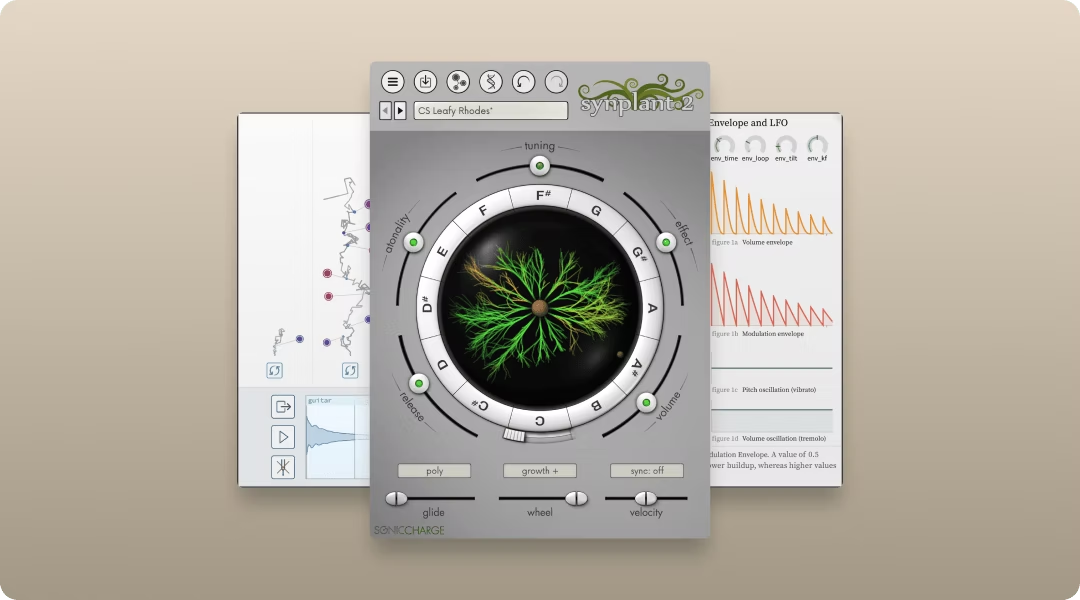
Synplant 2 grows new synth patches from audio input using genetic algorithms. You feed it a sound, and it evolves patches that share DNA with the original. This is useful when you want to design sounds that evolve from existing material rather than starting from a blank init patch.
- Genetic patch generation: Evolves new patches from audio input
- Seed-based exploration: Grow variations by clicking around the interface
- Sample layer: Blend synthesized sounds with the original audio source
It's a different approach to sound design. Instead of tweaking parameters, you're guiding evolution.
Intelligent mixing support with iZotope Neutron 5
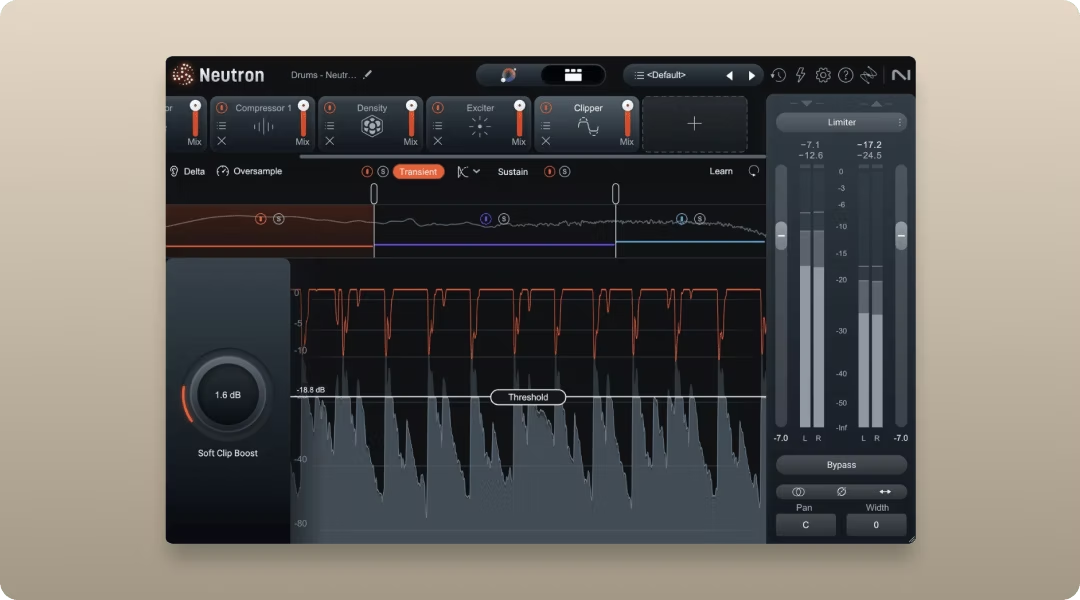
iZotope Neutron 5 is an AI-assisted mixing plug-in that helps you analyze and improve your mixes without replacing your creative decisions. Its machine-assisted tools give you visual feedback, smart suggestions, and guided control over things like EQ balance, dynamics, and tonal clarity — but you still choose what to accept and how to shape the sound.
You can insert Neutron 5 on individual tracks or on your mix bus to help you identify issues, balance frequencies, and make mix decisions faster with confidence. The goal is to support your ears and workflow, not to automatically “fix” everything for you.
- Track Assistant: Suggests starting EQ and compression settings based on your input material
- Masking Meter: Highlights frequency overlaps between tracks so you can shape parts for clarity
- Visual Mix Feedback: Shows you spectral balance and loudness targets to inform decisions
- Interactive Controls: Adjust suggested parameters in context to fit your artistic intent
Neutron 5 acts like a knowledgeable mix partner — giving insights and suggestions, while you remain in control of the final sound.
Transparent mastering support with LANDR Mastering Plugin
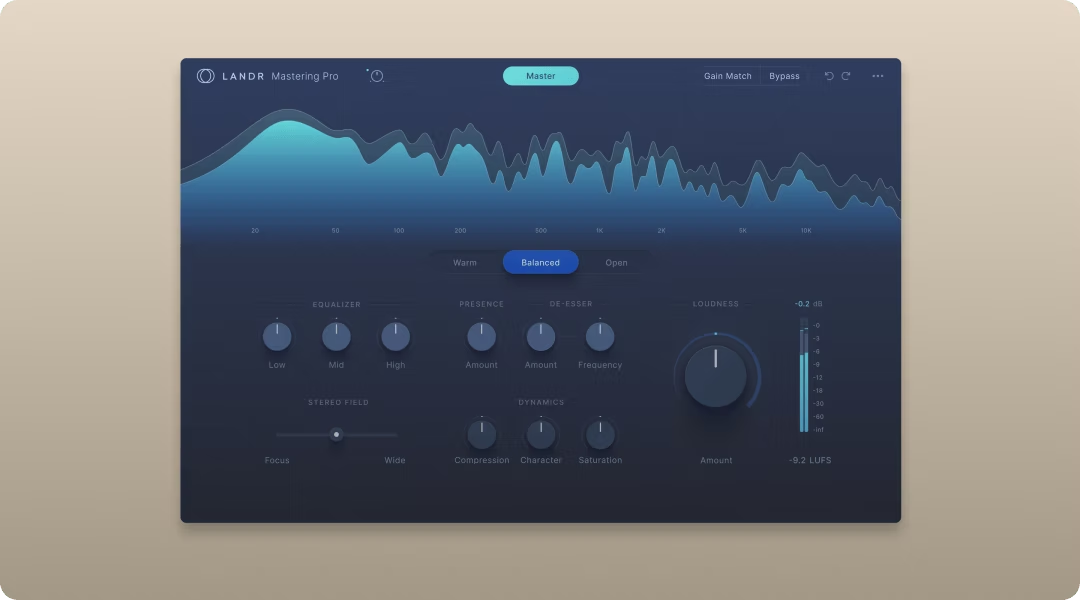
The LANDR Mastering Plugin is an AI-assisted mastering tool that helps you achieve polished, professional-sounding mixes without stripping you of creative control. It analyzes your track and applies mastering processing tailored to your genre and sonic goals, letting you focus on artistic decisions instead of manual technical tweaks.
You can use it directly in your DAW to preview and compare different mastering styles, adjust strength and tonal balance, and export mastered stems. It’s designed to help you refine and finalize your sound — not to replace your judgment or taste.
- Genre-aware presets: Choose mastering styles tuned for electronic, rock, pop, hip-hop, and more
- Adjustable intensity: Control how subtle or aggressive the mastering processing should be
- Reference-based matching: Match the character of your favorite tracks for consistency
- In-DAW workflow: Preview and tweak results in real time without bouncing out to another app
LANDR Mastering Plugin works as a smart assistant in the final stage of production, giving you actionable results you shape to fit your creative vision.
Intelligent mix referencing with Mixed In Key Captain Plugins
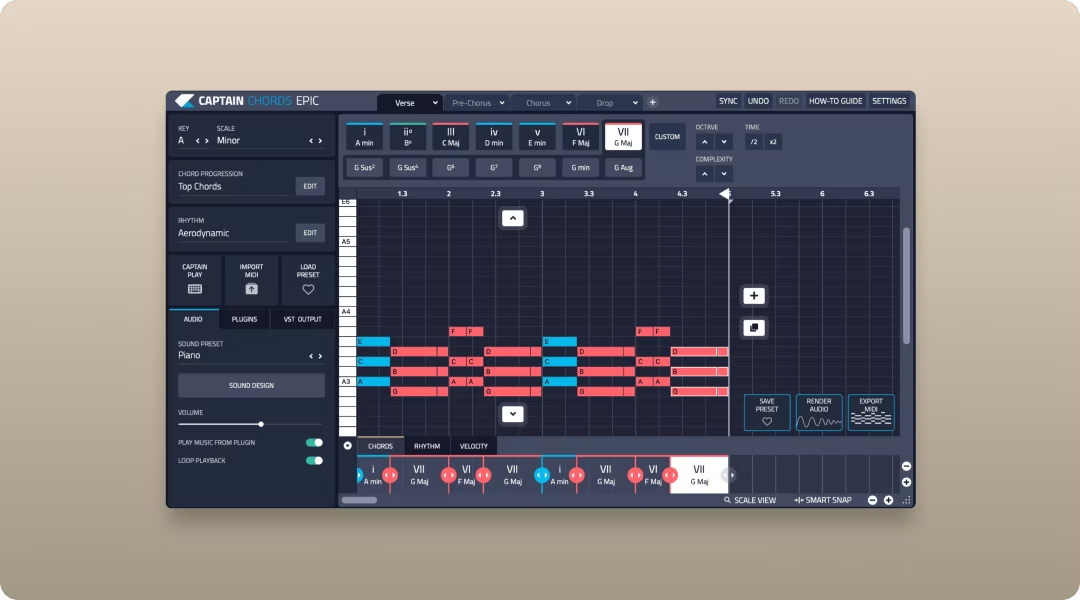
Mixed In Key Captain Plugins use AI-powered analysis to provide harmonic and rhythmic guidance for your tracks without writing parts for you. They help you identify key, suggest compatible chords, and offer tempo-aligned ideas that inspire your own creativity rather than replace it.
You can use them in your DAW to analyze audio or MIDI, get chord and key suggestions instantly, and explore harmonically compatible options that fit your project’s mood and energy. The intention is to support your musical decisions and help you experiment with confidence.
- Key and scale detection: Analyze tracks to reveal their key and scale for remixing or layering
- Compatible chord suggestions: See harmonically relevant chords that work with your progression
- Tempo-aware tools: Suggestions adapt to your session’s tempo and groove
- In-DAW workflow: Integrates with your project so you can audition ideas without leaving your mix
Mixed In Key Captain Plugins augment your workflow by giving context and inspiration that you shape into your artistic output.
Real-time performance enhancement with Moises
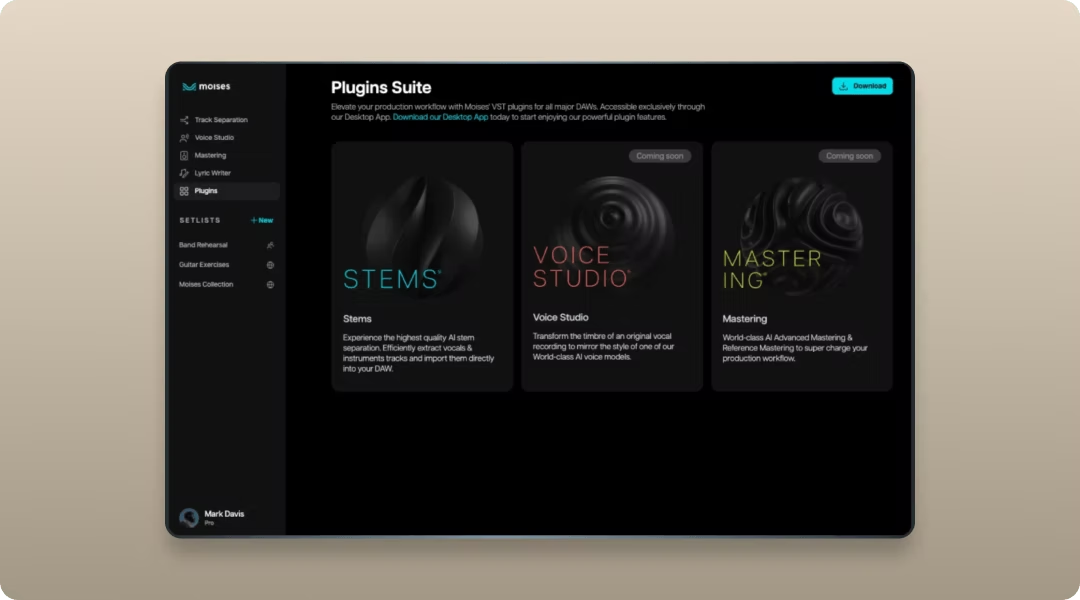
Moises is an AI-powered audio tool that separates stems, detects chords, and analyzes structure to help you practice, remix, and produce with more precision. It gives you insight into existing recordings so you can reinterpret them your way.
You can isolate vocals, drums, or bass to study arrangement decisions, rehearse parts, or build new productions around extracted elements. The goal is deeper understanding and faster workflow, not automatic song creation.
- Stem separation: Isolate vocals, drums, bass, and instruments from full mixes
- Chord detection: Identify harmonic movement for remixing or learning
- Tempo and key control: Adjust playback without destroying feel
- Practice tools: Loop, slow down, and analyze complex passages
Moises supports your musicianship and production decisions by revealing what’s happening under the hood, so you can build something original from it.
Rules for using AI in the studio without losing your voice
AI tools work best when you set clear boundaries in how you'll incorporate these tools into your workflow.
Keep AI on first-draft duty
AI outputs work best as starting points, not final products. Use AI to generate options quickly, then apply your ear and taste to select, edit, and finish. The first draft is where AI saves time. The final draft is where you make it yours.
Keep the final decision human
AI can propose dozens of options. Your job is to choose the one that fits your vision. The last call on what stays in the track should always be yours. That's where authorship lives.
Audit where the sounds come from
Know the source of AI-generated or AI-recommended content. Prefer tools that use ethically sourced, royalty-free libraries. Co-Producer and Arcade pull from curated, musician-made content with clear licensing—every sample is royalty-free with unlimited downloads. If you plan to release commercially, avoid tools trained on unlicensed material.
Start using AI tools that keep you in control
The best AI music tools speed up the boring parts and leave the creative decisions to you. They handle discovery, variation, and repetitive processing so you can focus on arrangement, performance, and finishing. Craft is still the point.
If you want to try the full Output ecosystem, Output One includes Co-Producer, Arcade, Portal, Thermal, and Movement in one subscription.
Output One puts Output Co-Producer, Arcade, Portal, Thermal, and Movement together in one subscription—so your AI ideas turn into finished tracks fast. Get all of them plus every FX expansion and see how powerful they are when you use them side by side.
Try it free