
The 6 Best Cakewalk Samples and Loops in 2026
Tired of digging for Cakewalk samples? We get it. Here are the 6 best loop and sample packs for 2026 that will actually get your tracks finished.

Get Co-Producer and Arcade with unlimited access to premium, royalty-free samples and instruments. Plus, unlock Portal, Thermal, and Movement.
Try it freeFinding quality Cakewalk loops can feel like digging for gold in a landfill. With countless sample packs floating around, it’s tough to know which ones will spark an idea instead of just cluttering your hard drive.
For the uninitiated, Cakewalk by BandLab is a full-featured (and free) DAW for Windows. It plays nice with just about any VST plugin you throw at it, making it a flexible home for your entire sound library.
So, let's cut through the noise. Here are six sample platforms that actually earn their keep in a Cakewalk session, including our own Arcade, Noiiz, Native Instruments Expansions, and Wave Alchemy.
1) Output
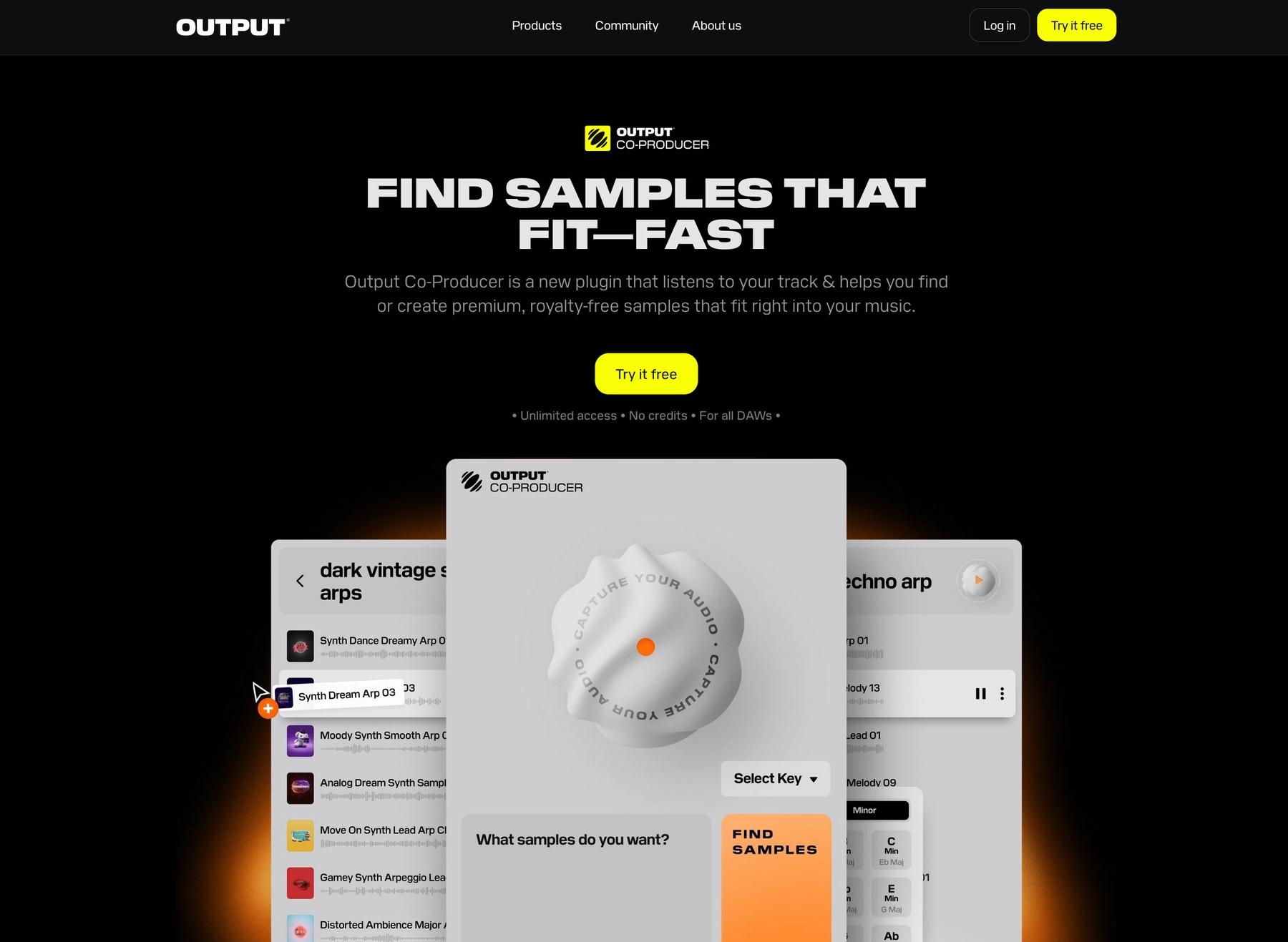
At Output, we build instruments and effects that slot right into your Cakewalk workflow, giving you a massive, constantly growing library of sounds to kickstart your next track.
Output Features
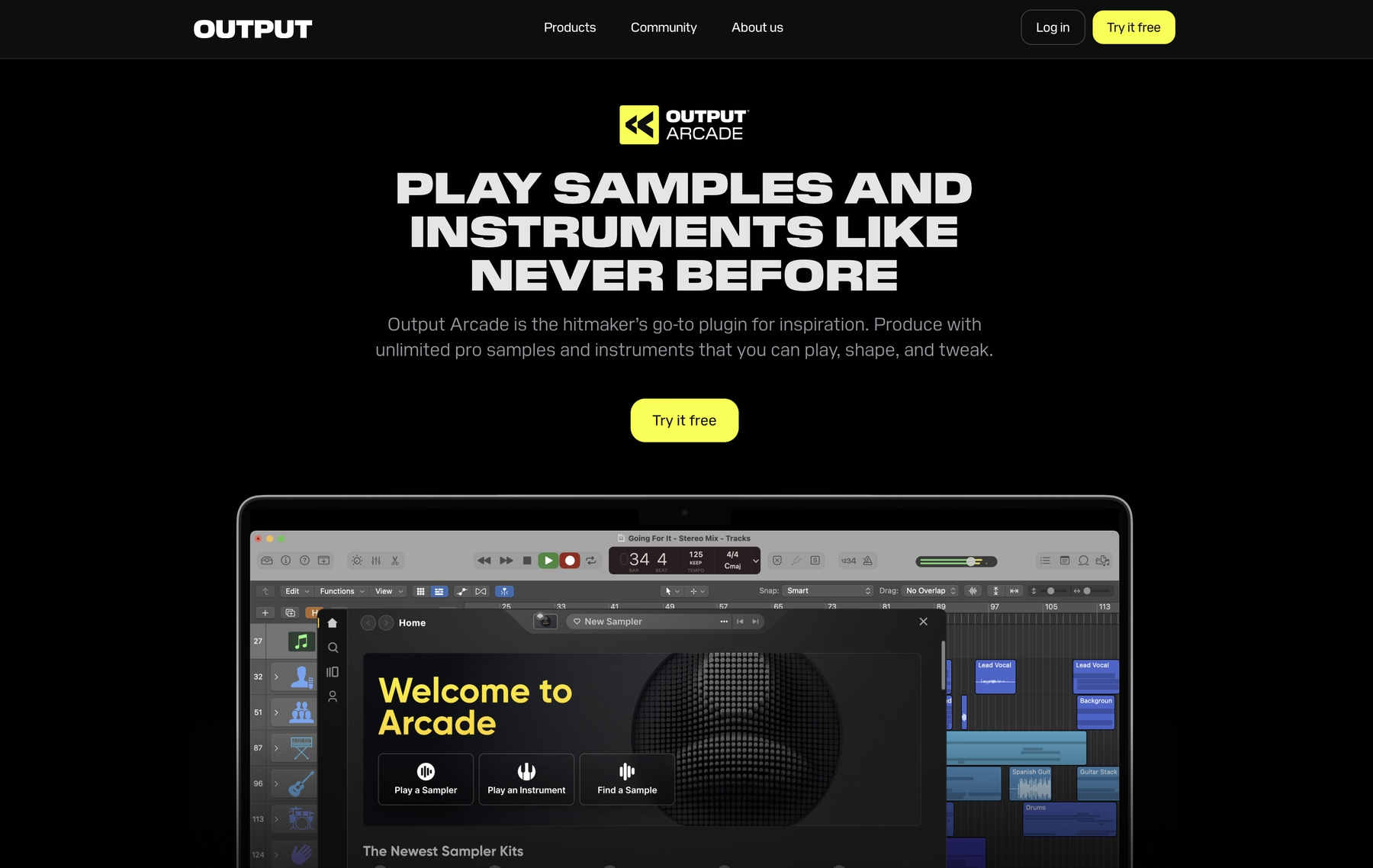
Our tools are built to work directly inside Cakewalk, loading up as VST plugins without any fuss. Take Arcade, for instance. It’s a sample playback instrument that gives you access to a massive, constantly updated library of royalty-free sounds. Once you load it onto a track in Cakewalk, it automatically syncs to your project’s key and tempo. You can browse thousands of curated Kits and Lines, play them on your MIDI controller, and drag the audio or MIDI directly into your session.
- A constantly growing library of royalty-free sounds.
- Automatically syncs to your Cakewalk project’s tempo and key.
- Drag and drop audio or MIDI directly to your timeline.
- Shape sounds fast with built-in effects and macro controls.
To streamline your workflow even further, we developed Co-Producer. It’s an AI-powered plugin that analyzes the audio in your Cakewalk project and suggests perfectly matched samples from our library, letting you find the right sound with a simple text prompt.
- AI-powered suggestions based on your tracks.
- Find sounds using natural language search.
- Analyzes key, tempo, and rhythm in your project.
- Works hand-in-hand with Arcade for deeper sound design.
Output Price
We keep our pricing straightforward so you can focus on making music. You can jump into Arcade and its entire library for $12.99 a month. Our AI-powered Co-Producer is available for $9.99 a month.
Frankly, most producers opt for our Output One subscription. For just $14.99 a month, it bundles both Arcade and Co-Producer and also includes our entire suite of FX plugins: Portal, Thermal, and Movement. It’s the whole ecosystem in one shot.
While subscriptions give you constant access to everything new, we also offer perpetual licenses for our individual instruments and effects. You can explore all of our products and pricing options on our site.
2) Noiiz (Samplephonics)
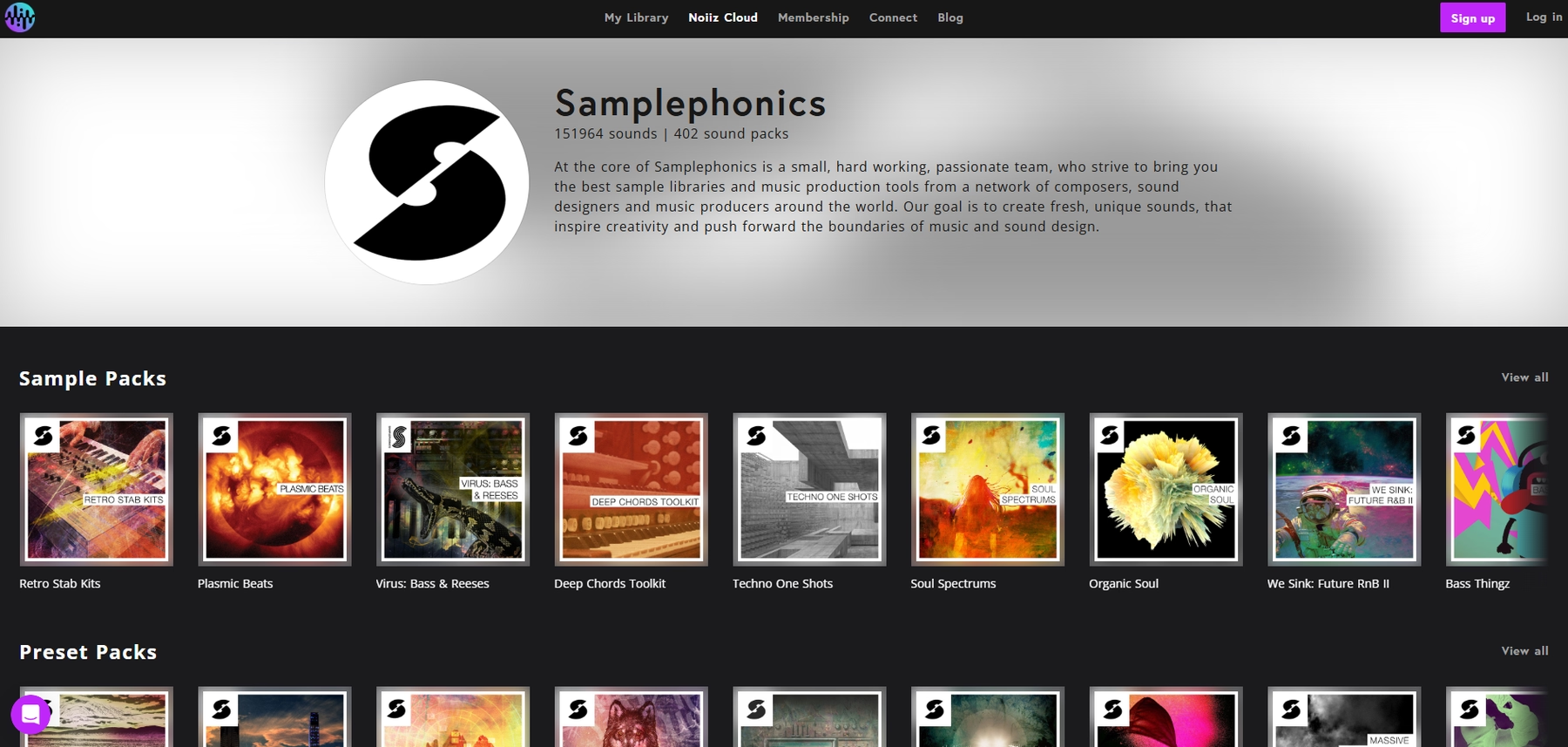
Noiiz, which now includes the Samplephonics catalog, offers sample packs in standard audio formats. These files, such as WAV and REX, can be imported directly into a Cakewalk project.
Noiiz (Samplephonics) Features
The workflow is straightforward: you download packs, unzip them, and use Cakewalk's Media Browser to find your sounds. From there, you can drag files directly onto the timeline. Cakewalk's native tools handle any time-stretching or pitch-shifting you need to do.
- Provides standard audio files like WAV, AIFF, and REX.
- Samples are dragged and dropped from Cakewalk's Media Browser.
- Relies on the DAW for tempo and key adjustments.
Noiiz (Samplephonics) Price
Noiiz operates on a dual model. You can either buy individual sample packs outright or sign up for a subscription plan that offers unlimited downloads from their library.
3) Native Instruments Expansions
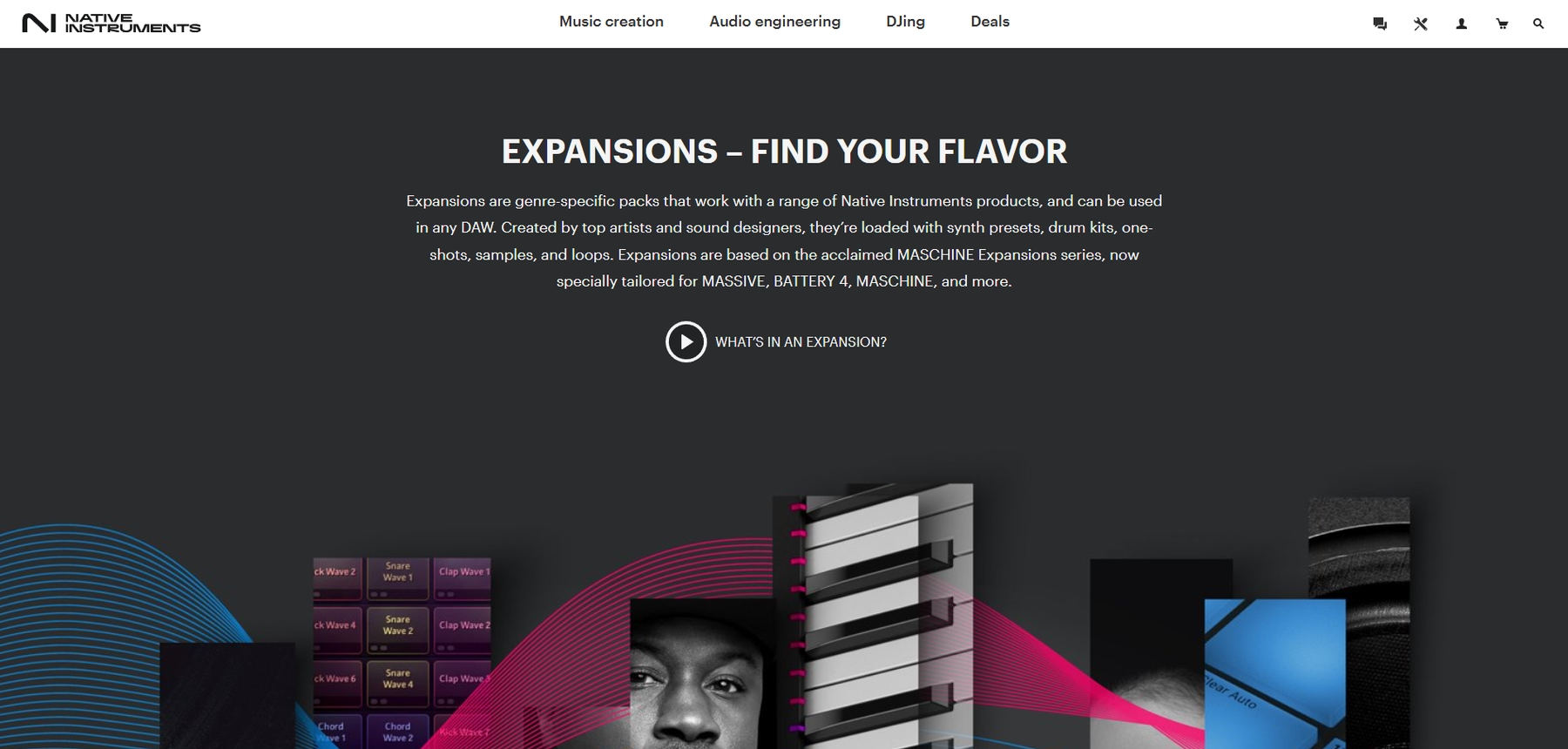
Native Instruments Expansions are genre-specific sample packs that bundle together loops, one-shots, and synth presets. Since the audio content comes in standard WAV format, you can pull it directly into a Cakewalk project.
Native Instruments Expansions Features
Expansions work in Cakewalk through a traditional drag-and-drop method. You locate the WAV files on your system and pull them onto an audio track. From there, you use Cakewalk’s built-in tools to handle any time-stretching or pitch-shifting to make them fit your session.
- Delivers audio content as standard WAV files.
- Requires manual drag-and-drop into the Cakewalk timeline.
- Relies on Cakewalk’s native tools for tempo and key matching.
- Some content (like synth presets) requires other NI plugins to work.
Native Instruments Expansions Price
Native Instruments sells each Expansion pack individually. The prices vary from pack to pack, so you’ll have to check their site for specific costs.
4) Wave Alchemy

Wave Alchemy offers sample packs with audio files in standard formats like WAV. These can be dropped directly into any Cakewalk project without needing a dedicated plugin.
Wave Alchemy Features
The process is what you'd expect from a traditional sample pack. You find the WAV files in Cakewalk's Media Browser and drag them onto an audio track. Any adjustments to tempo or key are handled using Cakewalk's own built-in audio editing tools.
- Provides samples in standard WAV format.
- Requires manual import via Cakewalk's Media Browser.
- Relies on the DAW's native tools for time-stretching and pitch-shifting.
Wave Alchemy Price
Wave Alchemy sells its sample packs individually, and prices vary from one product to the next. You'll need to check their site for specific costs on each pack.
5) Soundiron

Soundiron offers sample libraries that run inside Cakewalk, but they require a separate sampler plugin to function. You’ll need the full version of Native Instruments Kontakt or an SFZ-compatible player to load their instruments.
Soundiron Features
The workflow involves loading a sampler plugin like Kontakt onto an instrument track in Cakewalk. You then open the Soundiron library within that plugin and use MIDI to trigger the sounds. While Cakewalk can handle tempo synchronization, the entire instrument is hosted inside the third-party sampler.
- Requires the full retail version of Kontakt or an SFZ player for full functionality.
- Libraries are loaded into a sampler plugin, not directly onto the timeline.
- The free Kontakt Player runs these libraries in a limited demo mode.
Soundiron Price
Soundiron sells its libraries individually, with prices ranging from a few dollars for smaller Iron Packs to several hundred for large bundles. For example, their comprehensive Omega Bundle is listed at $999, while smaller packs can be found for as little as $2.
6) Cymatics
Cymatics offers a wide range of sample packs, many of which are geared toward specific electronic genres. Since their sounds come in standard WAV format, you can drop them directly into any Cakewalk project.
Cymatics Features
The workflow is what you'd expect from traditional cakewalk sample packs. You download the files, find them in Cakewalk's Media Browser, and drag them onto an audio track. All tempo and key adjustments are handled using Cakewalk's native audio tools.
- Provides samples in standard WAV format.
- Requires manual import via Cakewalk's Media Browser.
- Relies on the DAW's native tools for time-stretching and pitch-shifting.
- Samples are 100% royalty-free.
Cymatics Price
Cymatics has both free and premium sample packs available. The premium collections generally fall in the $30 to $50 range.
How to Pick the Right Samples and Loops for Cakewalk
Choosing the right library comes down to how you want to work, so let's break down what actually matters.
- Workflow Integration: Do you want to dig through folders and manually drag, drop, and time-stretch WAV files? Or do you prefer a plugin that lives inside Cakewalk, automatically syncing to your project’s key and tempo? The latter saves a ton of time, which is why we built Arcade to handle the grunt work for you.
- Sound-Shaping Tools: Look at how you can manipulate the sounds. Traditional sample packs rely entirely on Cakewalk’s native effects. Platforms with their own plugins often include built-in macros and effects, letting you tweak sounds on the fly without breaking your flow by opening another window.
- Compatibility & Dependencies: Check for hidden requirements. While most packs offer standard WAV files, some libraries, like those from Soundiron, require you to own a separate sampler like the full version of Kontakt. Make sure you know what you’re getting into before you buy.
- Pricing Model: Decide between subscription and ownership. Subscriptions give you access to a massive, ever-growing library for a monthly fee. Buying packs individually means you own them forever, but your sound palette is static until your next purchase.
How to Add Samples to Cakewalk
Getting new sounds into Cakewalk is straightforward, especially when you're using a plugin that does the heavy lifting for you.
Let's walk through the process. Say you're using a plugin like our own Arcade:
- Install and Scan: After installing the plugin, open Cakewalk and go to
Edit > Preferences > VST Settings. Add the plugin's folder path if it’s not there, then run a scan to make sure Cakewalk detects it. - Load the Instrument: Add Arcade as a new virtual instrument on a track in your project. This will open the plugin's interface, ready to go.
- Play and Drag: Now you can browse and play sounds directly inside the plugin. Since Arcade automatically syncs to your project’s tempo and key, you can just drag the audio or MIDI straight to your timeline and keep working.
Test-Drive Output in Cakewalk and Hear the Difference
Any of these libraries will get new sounds into your Cakewalk session, and that's what matters. But if you're looking for the most seamless fit—a tool that works with your DAW, not against it—we built our ecosystem to keep you in your flow.
See what a smoother workflow can do for your next track. Try Output today.
With Output One, you get the full suite—Arcade, engines, FX, and Co-Producer—integrated in Cakewalk. Spend less time searching and more time recording with key- and tempo-aware picks.
Try Output One for free
Get Output announcements, tips, inspiration, and more sent to your inbox.